October 16, 2026 · 11 min read · Pineflows team
No Code Algo Trading: A Practical Walkthrough
Learn no code algo trading with a practical walkthrough covering TradingView alerts, webhooks, Pineflows, and safe Robinhood automation for retail traders.
You know the feeling already. The setup is there on the chart, the candle is moving, and you're one click late because you were filling the ticket, checking the size, or hesitating just long enough to miss the clean entry. That frustration is exactly why no code algo trading exists, but the win isn't avoiding the click, it's proving that an alert can travel cleanly from a chart signal to a broker fill without breaking in the middle.
Retail traders usually stop thinking at the webhook. That's too shallow. The hard part is everything between the signal and the fill, order handling, duplicate prevention, timestamps, status checks, and the audit trail that tells you what happened when the market moved faster than you did.
Table of Contents
- The Moment You Miss the Setup
- What No Code Algo Trading Actually Means
- Setting Up Pineflows in One Sitting
- Turning Pine Script Into Automation Parameters
- Configuring the TradingView Alert
- Test Mode, Pause Control, and the Audit Trail
- What Success Looks Like Once You Are Live
The Moment You Miss the Setup

The missed entry is usually banal. You saw the setup, recognized it, and still didn't act in time. Maybe you were away from the screen for two minutes. Maybe you clicked into the order ticket and came back to find the move already underway. That gap between recognition and execution is where alert-driven automation earns its keep.
What makes this annoying is that the strategy itself may be fine. The issue is the human bottleneck, not the signal logic. If a setup depends on you being fast, calm, and perfectly available, it's not really automated, it's just manually assisted.
Practical rule: if you can't describe what happens after the alert fires, you don't have an automation system yet, you have a notification.
That's why the better question isn't, “Can I send a webhook?” The better question is, “Can I prove the alert became one, and only one, broker order, with no duplicates, no stale signals, and no hidden failure in the middle?” That's the lens that matters when you move from chart watching to live execution.
What No Code Algo Trading Actually Means
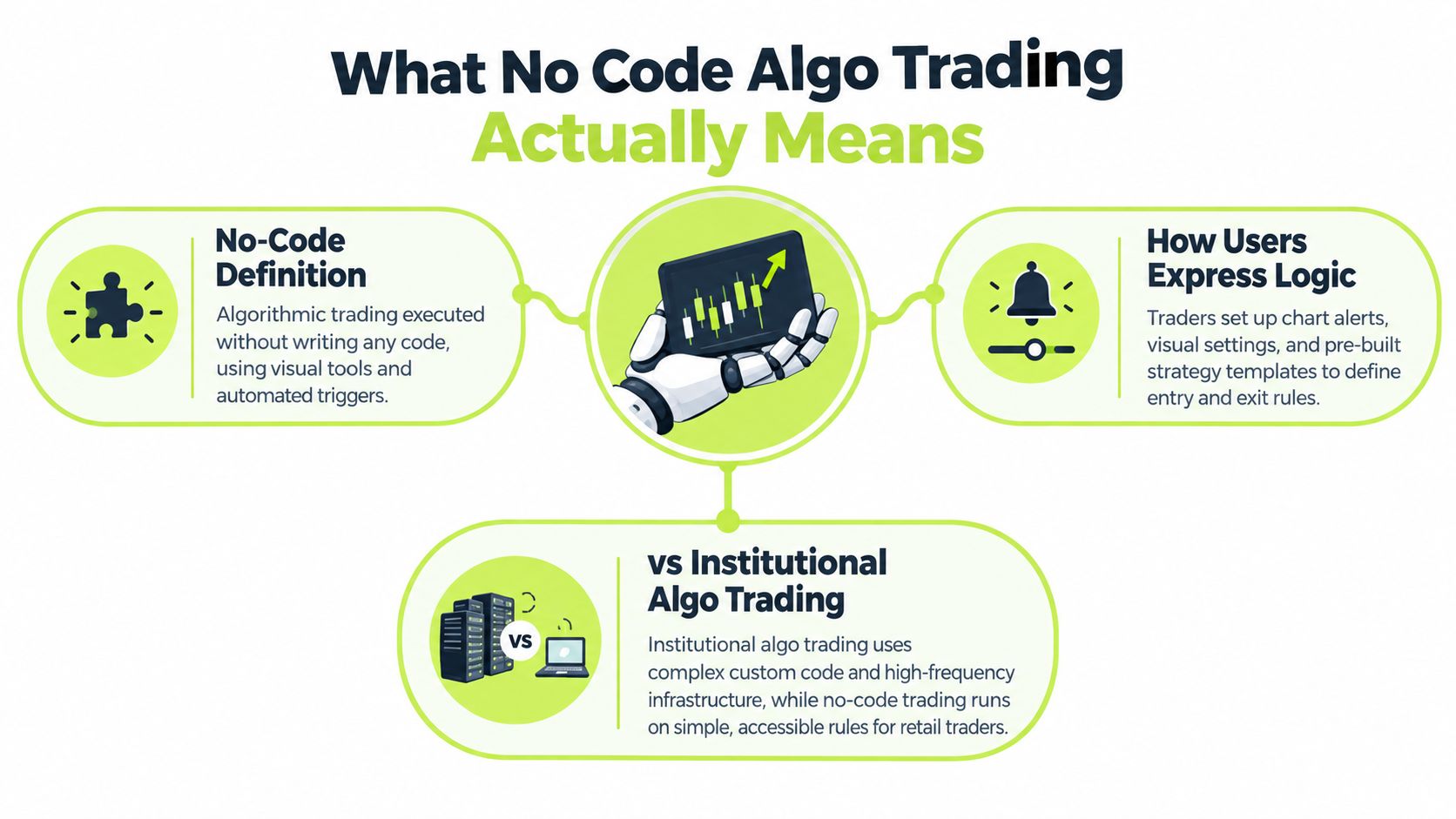
No code algo trading is not “trading without rules.” It's trading where the rules are expressed through visual tools, alerts, templates, and configuration screens instead of a hand-written execution engine. Under MiFID II, algorithmic trading includes workflows where a computer automatically determines order parameters such as whether to initiate an order, its timing, price, quantity, or handling after submission, so the label still applies even if nobody wrote traditional software.
That distinction matters more than people think. The “no code” part describes the way you author the strategy, not the way markets work once the order leaves your screen. Once an alert reaches a broker, it enters the same kind of machine-speed environment that any automated order does.
A useful way to think about it is this, the strategy layer is simplified, but the execution layer is not. Retail traders still need to care about order handling, state changes, duplicate protection, and evidence that the alert path worked as expected. Visual setup removes syntax pain, not market structure.
Why the label matters
A lot of traders use “no code” as if it means “safe by default.” It doesn't. It means the system is easier to configure, not easier to trust blindly. A chart alert, a browser form, or a broker connector can still generate a live order with real exposure attached.
The operational mindset changes with that fact. You're no longer asking whether your logic is elegant enough. You're asking whether the workflow is observable enough to audit later. That's a more serious standard, and it's the one retail automation usually misses until something weird happens.
Plain version: if the platform hides intermediate states, you're flying blind.
For a broader retail-trading framing, see this walkthrough on algo trading for retail traders. It helps separate the appeal of automation from the execution discipline that keeps it usable.
Setting Up Pineflows in One Sitting
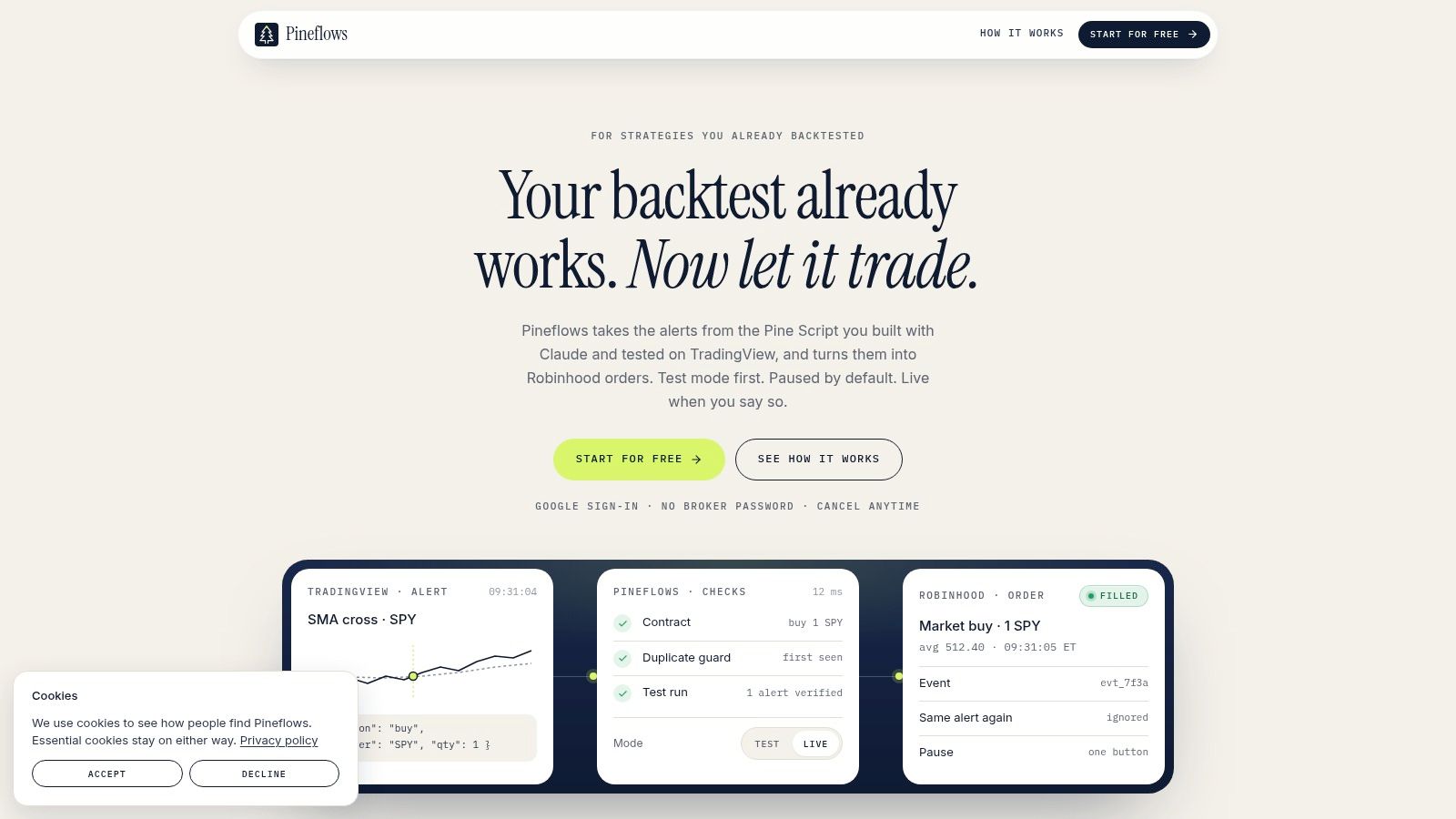
My first sitting took about twenty minutes. I signed in with Google, linked Robinhood without ever entering a broker password into Pineflows, then sent a test alert that I had to reformat twice because the instrument field was empty. That detail matters, because the first failure was not about strategy logic, it was about payload shape.
Pineflows keeps account credentials with the broker, which is the part I want from any automation tool before I let it touch a live route. The setup flow felt narrow for a reason. It pushed me toward one alert, one broker connection, one test path, instead of inviting me to wire up a whole stack before I had seen the logs.
The four guided screens that matter
The first screen handles Google sign-in. The next one connects Robinhood, and it does that without asking for reusable broker credentials in a form field or a chat window. After that, the platform places you in test mode, where alerts are logged instead of transmitted.
That test mode is where the setup work starts. I sent a first alert, checked the event log, and compared the payload against the strategy context I expected. When something looked wrong, the problem was usually in alert formatting, instrument mapping, or trigger conditions. Those are the places that break first, not the trading idea itself.
What to verify before you switch anything live
A clean session gives you a few concrete signals. Login works, the broker link stays broker-side, the test alert appears in the log, and the live route can be traced inside the interface before you trust it with real exposure.
| Feature | Detail |
|---|---|
| Authentication | One-click Google sign-in |
| Broker credentials | Never created or stored inside Pineflows |
| Default behavior | Test mode logs alerts before live transmission |
| First live check | Verify one alert travels end to end before scaling up |
That is enough for a first sitting. Anything beyond that usually means you are configuring around a problem you have not observed yet.
Turning Pine Script Into Automation Parameters
The useful part of a connector like this is not magic translation, it's parameter mapping. The Claude connector reads the intent in your Pine Script and proposes automation settings for entries, exits, instruments, and position sizing, which is a very different thing from rewriting your strategy. You still review the mapping before anything is committed.
That review step is where experienced users save themselves from mistakes. If an entry condition has been interpreted correctly but the exit condition is mapped too broadly, the strategy can behave in a way the chart never implied. If the instrument is right but the sizing is wrong, the trade can be technically valid and still operationally bad.
What to check in the mapping
Start with the entry and exit logic. Make sure the alert conditions line up with what you meant in Pine Script, not just what the connector guessed from the structure. Then check the instrument and sizing fields, because these are the spots where a clean strategy can become awkward in live use.
You should also compare the proposed configuration against your backtest behavior. If the strategy was built around a specific style of alert timing or exit behavior, that intent should survive the automation layer. If it doesn't, revise the mapping before going live.
The main value here is that most Pine Scripts don't need a rewrite just to become executable. In many cases, the alert is the only thing that needs routing to the provided webhook. The rest is about validating that the configuration reflects the strategy you already tested.
For implementation details, the Pine Script automation documentation is the right place to check how the connector handles strategy intent and review flow.
Where the trader still owns the decision
The connector proposes. You approve. That's the correct boundary. The system can reduce friction, but it shouldn't become the source of truth for whether the strategy is sensible.
Compare the proposed parameters to the backtest, not to your memory of what the script “usually does.”
That habit catches most avoidable errors. It's dull, but dull is what you want before live orders are involved.
Configuring the TradingView Alert
The alert configuration is where most retail setups break. You need the strategy alert tied to the correct condition, the webhook URL set properly, and a payload that carries enough information to identify the event later. You also need a paid TradingView plan with two-factor authentication enabled, because alert-based automation should not be running on a weak account setup.
Two settings matter more than most others. First, use Once Per Bar Close so you're not acting on intrabar conditions that disappear before the candle closes. Second, use per-alert event IDs so the same alert can't trigger more than one order if delivery gets messy or repeated.
The practical path through the alert dialog
Choose the strategy alert condition that matches the signal you want to automate, not the one that looks convenient. Paste the webhook URL exactly as provided by the automation platform. Then format the message as JSON so the receiving side can inspect the fields cleanly and tie the payload to a specific event.
After that, confirm the alert timing. If the alert can fire before the bar closes, you've opened the door to signals that looked valid for a moment and vanished by the end of the candle. That's not a rare edge case, it's a common cause of confusion.
What to inspect when something feels off
TradingView's alert log is where you check whether the alert was generated and delivered as expected. If the webhook didn't fire, the problem may be the condition itself. If the webhook fired but the downstream workflow didn't react, you've got an execution path issue, not a chart issue.
The alert log is more useful than the chart when the system is misbehaving.
That's because the log tells you what TradingView thought happened, while your downstream audit tells you what the broker-side workflow did with it. You need both views before you trust the setup.
Test Mode, Pause Control, and the Audit Trail
Test mode is the feature that keeps a fast setup from becoming a reckless one. In Pineflows, incoming alerts log first instead of transmitting orders, which gives you a safe way to validate timing, payloads, and state changes before live trading starts. That default matters because a working alert path can still be wrong in ways that only show up under market pressure.
Pause control is the other half of the discipline. It blocks new entries, cancels Pineflows-originated entry orders, and keeps valid exits available for risk handling when you're away from the desk. That distinction is important, because “pause everything” is not the same as “protect the account.”
The states that actually matter
| State | Meaning | Trader Action |
|---|---|---|
| Received | Alert arrived in the platform | Check the payload and strategy context |
| Validated | Input passed schema and workflow checks | Confirm the order should proceed |
| Submitted | Order left the platform toward the broker | Watch for broker acknowledgement |
| Acknowledged | Broker accepted the instruction | Match it to the intended alert |
| Filled | Trade completed at the broker | Reconcile the position and fill details |
| Rejected | Broker refused the order | Fix the root cause before re-enabling live flow |
| Cancelled | Order was stopped before completion | Verify whether pause control or risk logic caused it |
The audit trail is what makes all of this usable after the fact. Logged events, payloads, and statuses let you trace a single alert from arrival to outcome instead of guessing from a blotter or memory. That's the difference between a hobby script and something you can supervise.
If you want the operational angle in more detail, this note on automated trade execution is worth reading alongside your own logs. It's the same principle, trace the event, don't assume it happened.
The live-trading mindset
You're not looking for volume in the logs. You're looking for clean correspondence between alert, order, and position. If the audit trail can't explain an event, don't scale the workflow yet.
Audit rule: no unexplained alert, no unexplained order, no unexplained fill.
That standard sounds strict until the first time it saves you from a duplicated or stale signal.
What Success Looks Like Once You Are Live
A webhook returning 200 OK is not the finish line. It only says the message reached an endpoint. Real success is end-to-end reconciliation, the signal is generated, the order is submitted, the broker acknowledges it, and the fill matches the intended trade with no duplicate or stray exposure.
That's where the risk controls matter. Market-access guidance treats erroneous orders, excessive capital exposure, and duplicate orders as serious operational risks, and it's exactly the right framing for retail automation. You don't want to discover those problems during a live move.
A sane first-week checklist
- Check for duplicate fills: every alert should map to one order event, not multiple.
- Confirm event-to-fill traceability: you should be able to follow each trade from signal to broker outcome.
- Reconcile positions after each session: the account should match the expected live state before you leave it.
- Watch for rejected or stale alerts: they often reveal alert timing or state issues before they become losses.
- Verify exits still work when pause is active: risk handling can't disappear when you stop new entries.
The first live week is about proving the workflow, not proving the edge. If the execution path is clean, then you can judge the strategy on its own merits. If the path is messy, the results are contaminated before they even hit the P&L line.
Pineflows offers a test-first TradingView-to-Robinhood automation path with audit logs, pause controls, and broker-side credential handling, which makes it a sensible fit for traders who care more about execution discipline than flashy setup claims. If you're building around alert-driven trading and want a cleaner route from backtest to live orders, visit Pineflows and review how the workflow fits your own process.