October 11, 2026 · 12 min read · Pineflows team
Robinhood Stock Trading: Order Types and Automation
Learn how Robinhood stock trading works, including order types, settlement rules, and automation features to improve your investing strategy.
You tap Buy on Robinhood, see a confirmation, and assume the trade is finished. Then the chart moves, the displayed price changes, or the position appears before the cash activity does. If a TradingView alert is involved, another question appears: did the signal reach the executor, did Robinhood accept the order, and did the fill match what the chart showed?
That gap between the button and the final account record is where Robinhood stock trading becomes an operations problem. A trade has a signal, an order type, a routing path, a market-center interaction, an execution record, and a settlement process. Automation can reduce manual delay, but it can't guarantee a favorable price or correct strategy.
Table of Contents
- What a Robinhood Stock Trade Actually Involves
- Setting Up a Robinhood Account With Security in Mind
- How Robinhood Handles Orders, Routing, and Settlement
- Wiring TradingView Alerts Into Robinhood via Webhooks
- Verifying Execution Quality Beyond a Filled Order
- Margin, Buying Power, and Automated Position Sizing
- A Pre-Live Checklist for Webhook Execution on Robinhood
- Common Questions About Robinhood Stock Trading and Automation
What a Robinhood Stock Trade Actually Involves
Suppose a first-time trader opens Robinhood, selects a stock, enters a quantity, and taps Buy using a market order. The app sends the instruction through Robinhood Securities, the order reaches an external market center, and a fill may occur at a price that differs from the chart price the trader saw a moment earlier.
That sequence contains several separate events. The trader creates an intent, Robinhood receives the order, routing takes place, a market center matches available liquidity, and the broker reports the result. The account then reflects the position and buying-power changes, while settlement completes later under the applicable cycle.
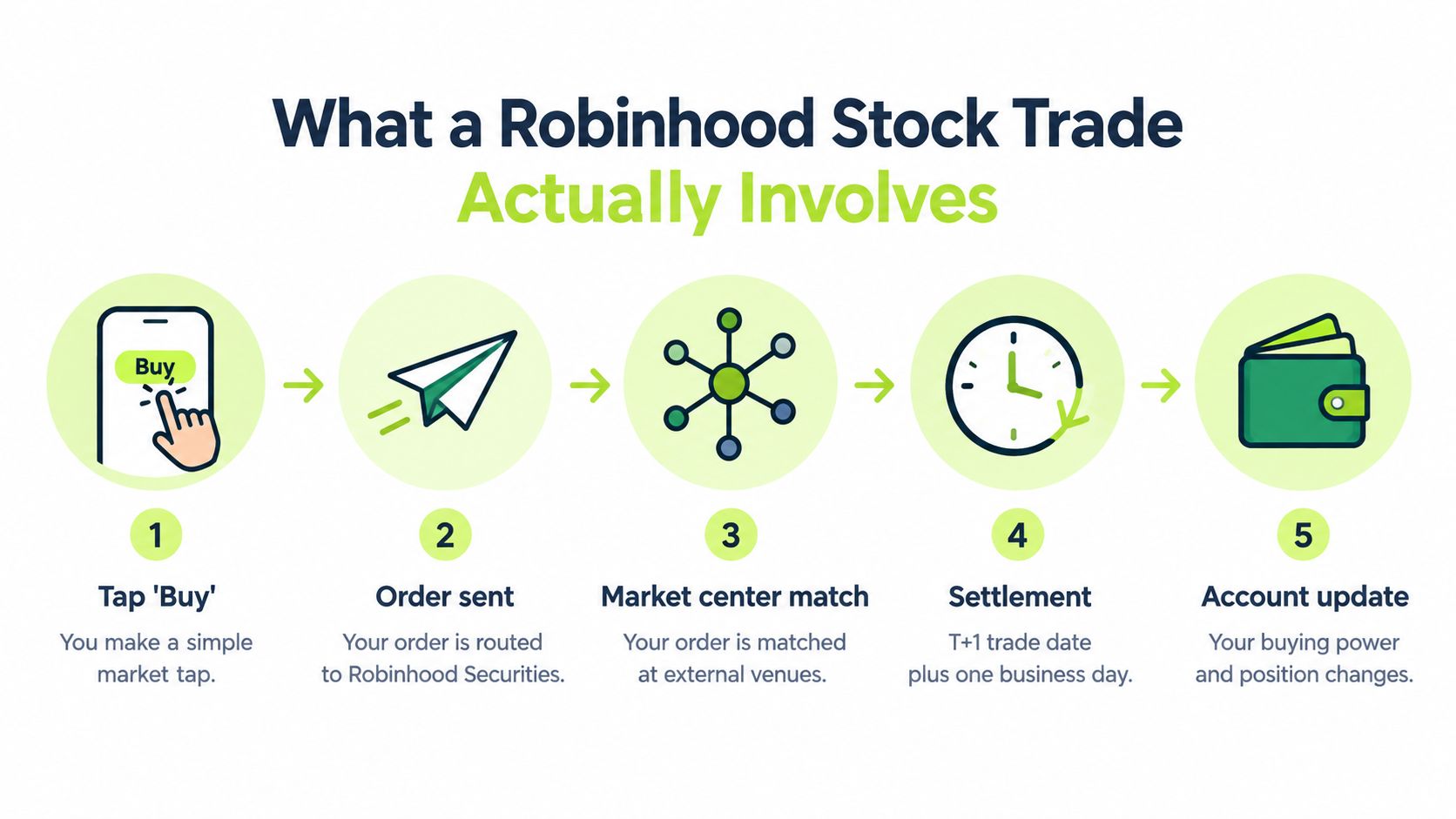
The five events behind one tap
- Signal or decision: You decide to enter based on research, a chart, or an automated alert.
- Order submission: The app or executor sends the requested symbol, side, quantity, and order type.
- Routing and matching: Robinhood Securities routes the order to market centers, where available buyers and sellers determine the fill.
- Execution reporting: Robinhood reports acceptance, rejection, a complete fill, or a partial fill.
- Settlement and reconciliation: The broker updates the account, and you compare the intended trade with the actual execution record.
A filled order proves that shares changed hands. It doesn't, by itself, prove that the trader received the best available execution or that an automation system handled every event correctly. That distinction matters throughout the trading lifecycle, especially when an alert price and a later fill price don't match.
Setting Up a Robinhood Account With Security in Mind
Account setup isn't just administrative work. It establishes the identity, funding path, and security controls that later determine whether a manual or automated order can operate safely.
Robinhood will ask for personal information to verify identity and satisfy brokerage account requirements. Use accurate information and review every account notification. If you link a bank account, understand that funding availability and trading availability can follow different rules. A displayed balance doesn't necessarily mean every dollar is immediately available for every transaction.
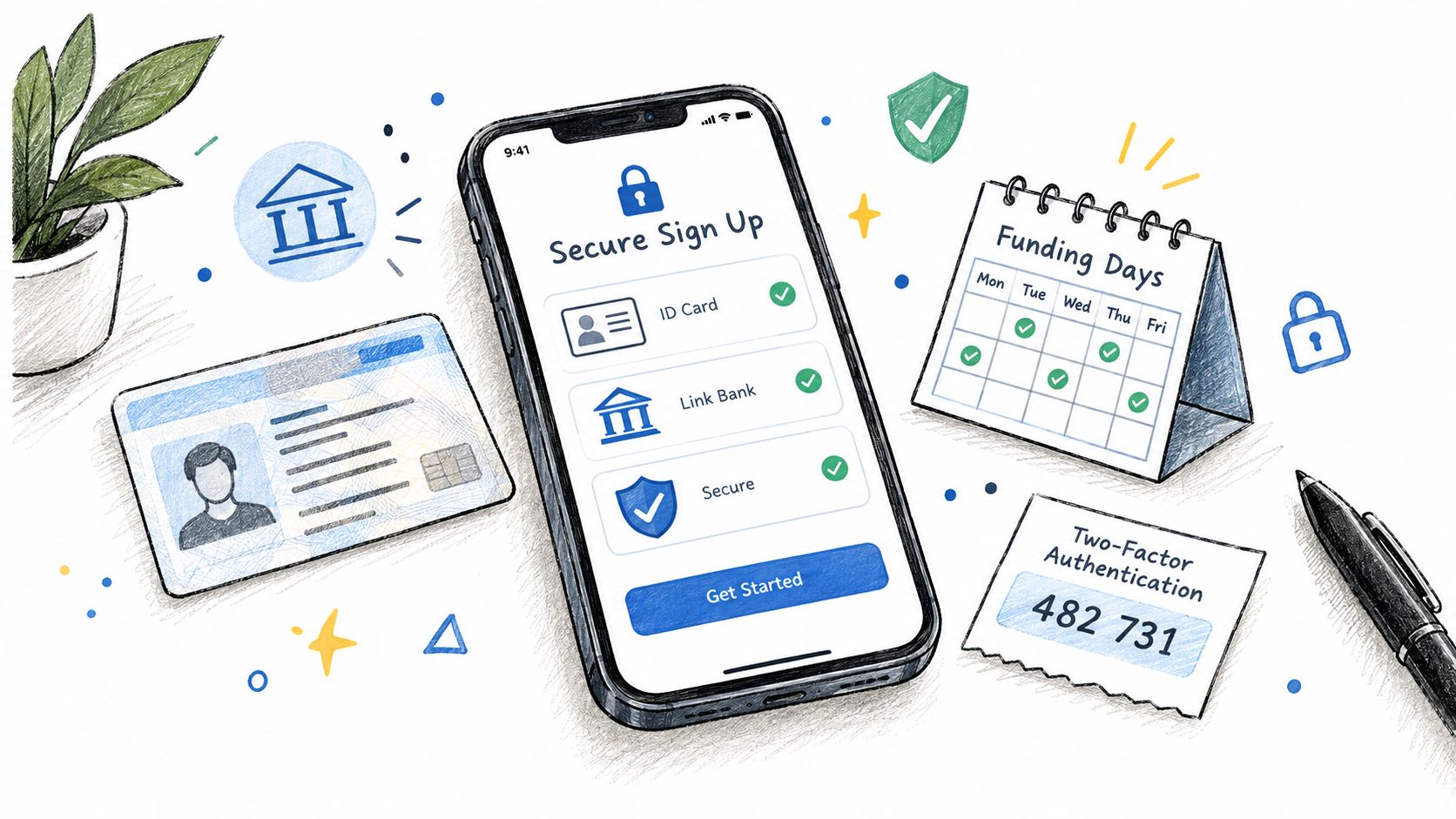
Build the security baseline first
- Use a unique password: Don't reuse the password from email, social media, or another financial service.
- Enable two-factor authentication: A password alone leaves the account exposed if another service suffers a compromise.
- Protect the phone and email: Whoever controls recovery channels may be able to influence account access.
- Review alerts: Treat unfamiliar sign-ins, bank changes, or order notifications as incidents that require immediate investigation.
- Limit connected services: Only authorize an automation executor after you understand what access it needs and how you can revoke it.
Two-factor authentication is especially important before adding TradingView webhooks. A webhook can transmit an instruction, but it shouldn't become a substitute for account security. Keep broker credentials out of chat messages, configuration notes, and alert payloads, and check whether the service uses a broker-controlled authorization flow rather than asking you to paste a password.
Funding is part of trade planning
New users often confuse cash deposited, buying power, and settled funds. Those labels describe related but different account states. Before placing a trade, check the buying-power figure Robinhood presents for the specific account and order type, then confirm what happens after a sale or withdrawal.
For automation, write down the exact account assumptions. A strategy that expects cash-only behavior can produce different outcomes if margin, options permissions, or extended-hours access is enabled. Security and account configuration aren't separate from execution design. They define the conditions under which an alert may become a live order.
How Robinhood Handles Orders, Routing, and Settlement
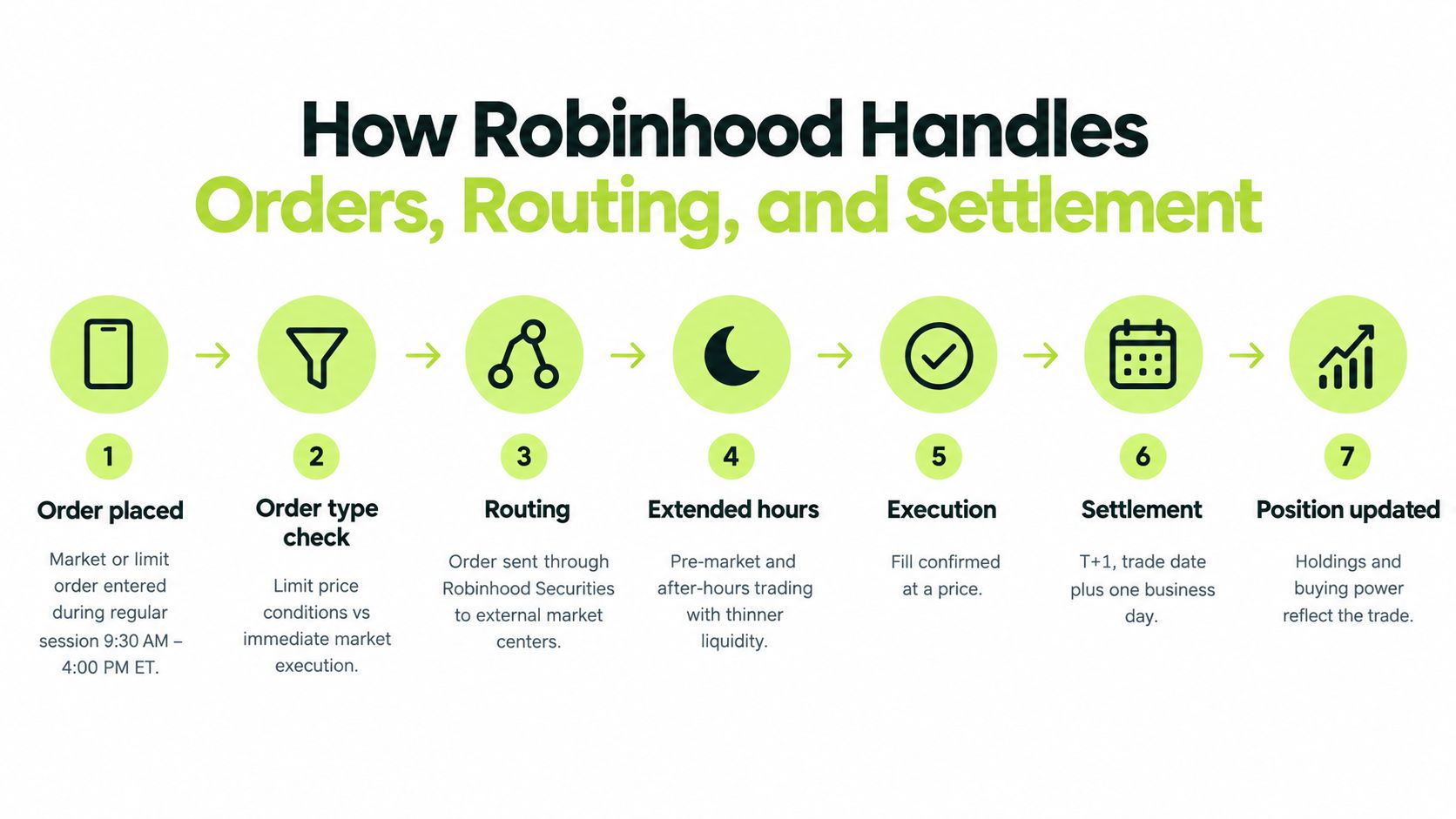
A market order prioritizes execution over a specific price. A limit order adds a price condition, so it may remain unfilled if the market doesn't reach the limit. Neither order type eliminates spread, liquidity, routing, or timing effects.
Robinhood's customer disclosure says orders are routed through Robinhood Securities to market centers. Robinhood also distinguishes regular-session and extended-hours trading, where available order types, eligibility, and liquidity conditions can differ. A chart can display a price while your order waits for a matching opportunity elsewhere in the execution process.
A simple order example
Assume a trader submits a request to buy ten shares. The system must determine whether the order is a market or limit order, whether the account can support it, and whether the order is eligible for the current session.
With a market order, the trader accepts the available market conditions at execution. With a limit order, the trader specifies the maximum acceptable purchase price, but the order might receive only a partial fill or no fill. If an alert sends the same request twice, the account could receive duplicate exposure unless the executor identifies the event and prevents repetition.
After execution, the broker records the fill and updates the position. Settlement is a separate stage, described in the infographic as the trade date plus one business day. This timing matters for cash availability and reconciliation, even when the position is already visible in the app.
Practical rule: Treat “order accepted,” “partially filled,” “filled,” and “settled” as different statuses, not interchangeable labels.
An automated trader should preserve the symbol, side, requested quantity, filled quantity, average fill price, order status, and relevant timestamps. The Robinhood API trading guide can provide additional product-specific context, but the operational principle is broker-neutral: an alert is an instruction, not proof of execution.
Wiring TradingView Alerts Into Robinhood via Webhooks
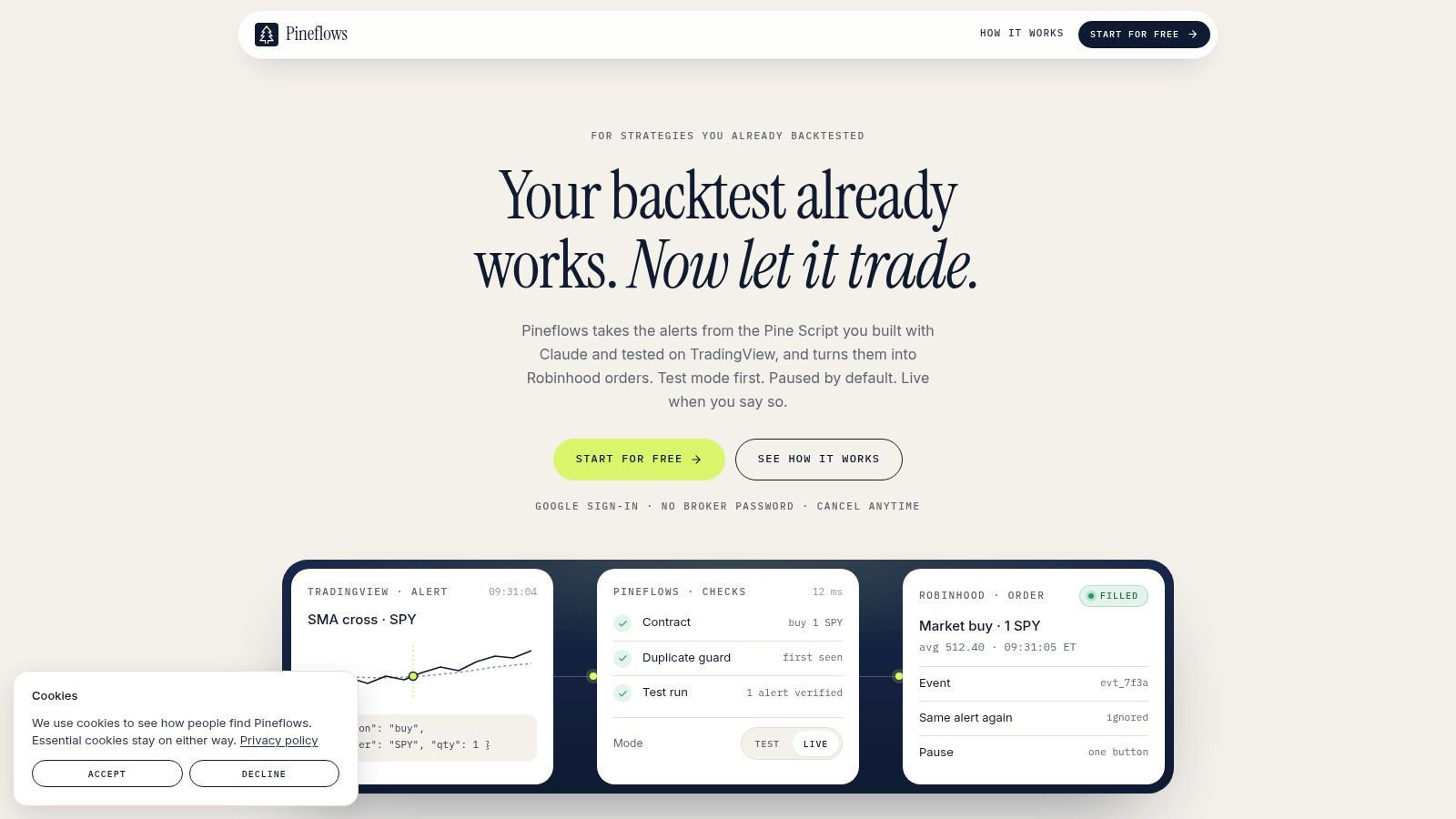
A TradingView strategy can generate an alert through Pine Script. A webhook executor receives the alert, validates its contents, applies configured rules, and submits an order through the connected Robinhood workflow. The important design choice is to separate signal generation from order transmission.
TradingView webhook alerts require a paid TradingView plan with two-factor authentication enabled. The alert payload should identify the instrument, action, quantity, and a unique event identifier. Avoid sending credentials in the payload. A properly designed executor should authenticate through its own connection process and keep Robinhood credentials outside the alert message.
Start with one controlled alert
Use test mode before transmitting live orders. In test mode, the system should record the incoming alert, show the parsed fields, and let you confirm that the intended action is correct without sending an order to the broker.
Check the following before enabling live execution:
- Symbol mapping: The alert's symbol must correspond to the intended Robinhood instrument.
- Side and quantity: Confirm that “buy,” “sell,” and exit actions aren't reversed by parsing or configuration.
- Event identity: Each alert needs a unique ID so retries don't become duplicate orders.
- Status visibility: You should be able to see receipt, validation, submission, and broker response.
- Exit behavior: A pause should stop new entries without preventing valid risk exits.
Pineflows is one example of this workflow. Its documented setup converts TradingView alerts into Robinhood orders, uses a default test mode, records timestamps and fill details, and doesn't store Robinhood credentials. Its Pilot plan is listed at $29 per month, with a 7-day trial that begins after onboarding, as described in the publisher's product information.
A live pipeline should make one alert produce one traceable order attempt. If the alert arrives again because of a network retry, the event ID should allow the executor to return the existing result rather than create another position.
For a practical explanation of the alert format and webhook delivery model, see this TradingView webhook guide.
Before going live, compare the test log with the TradingView alert history. Confirm that the executor interpreted the same ticker, side, quantity, and event ID you intended. Automation should make the path deterministic, not make review unnecessary.
Verifying Execution Quality Beyond a Filled Order
A successful fill answers only one question: did some quantity execute? It doesn't answer whether the price was competitive, whether the complete quantity filled, or whether the order experienced a delay between alert and execution.
In a 2021 enforcement order, the Securities and Exchange Commission's findings on Robinhood's order execution reviews addressed inadequate review of execution quality and the role of payment-for-order-flow arrangements. The practical lesson isn't that a commission-free screen has no value. It's that explicit commission and total trading friction aren't the same thing.
Spread, liquidity, routing, price improvement, and partial fills can affect the realized result. A market order submitted from an alert may execute after the chart updates, especially in a fast-moving or thinly traded instrument. Automation can reduce the time between signal and submission, but it can't guarantee a particular price.
Build an evidence trail
Record the complete chain rather than relying on the in-app confirmation:
- Alert timestamp: When the strategy generated the signal.
- Submission timestamp: When the executor sent the order.
- Broker response: Whether Robinhood accepted or rejected it.
- Execution timestamp: When the market center reported the fill.
- Quantity comparison: Requested quantity versus filled quantity.
- Average fill price: The actual weighted execution price.
- Market context: Quoted bid and ask data when available.
- Venue information: Routing and venue details available through broker reporting.
Robinhood publishes quarterly routing reports under Rule 606(a), and its customer disclosure explains that customers can request six months of order-routing and transaction-time information under Rule 606(b). Use those records when a recurring discrepancy needs investigation.
A filled order is an outcome to audit, not a performance certificate.
If the chart showed one price and Robinhood reports another, don't overwrite either value. Preserve the alert price as the strategy observation and the fill price as the broker result. The difference is useful data for assessing slippage, timing, and order-type decisions.
Margin, Buying Power, and Automated Position Sizing
Margin changes the risk equation because the account can carry exposure beyond deposited cash. Robinhood's margin-rate disclosures explain that margin can create interest charges, require additional collateral during a falling market, and produce losses greater than the amount initially deposited.
The cause-and-effect chain is straightforward. Borrowed funds increase exposure. An adverse move reduces account equity. A maintenance requirement can trigger a collateral demand or liquidation. If the broker liquidates during poor liquidity, the realized loss and the strategy's intended position size may diverge sharply.
A cash-only backtest doesn't model those broker-side events. It may assume every entry is affordable, every exit remains available, and no external action changes the position. A live automated system needs stricter controls.
Size from available capacity
Calculate quantity from the account's available buying power, not nominal equity. Apply a predefined exposure limit, reject orders that exceed it, and retain exit logic during a global pause. The system should also distinguish strategy exits from operational and broker events.
| Event Type | Trigger | Trader Initiated | Reconciliation Note |
|---|---|---|---|
| Strategy exit | Pine Script generates an exit condition | Yes | Match the event ID with the intended position reduction |
| Broker rejection | Account, order, or market condition prevents submission or acceptance | No | Record the rejection reason and confirm that no fill occurred |
| Partial fill | Only part of the requested quantity executes | Sometimes | Reconcile remaining quantity before sending another order |
| Forced liquidation | Maintenance requirement or broker risk control acts on the account | No | Treat the broker result as an external position change |
| Manual close | Trader closes the position outside the strategy | Yes | Mark the position as externally modified before the next signal |
A global pause should block new entries, but it shouldn't blindly suppress exits that protect an existing position. Event logs need separate categories for rejected orders, partial executions, forced liquidations, and strategy-generated exits because each one requires a different recovery action.
Don't treat a backtest's position size as a live authorization. The broker's current buying-power state, account settings, and maintenance requirements control what can happen.
A Pre-Live Checklist for Webhook Execution on Robinhood
Go live only when the pipeline can explain every important state. A green connection indicator isn't enough. You need a controlled test, unique event identity, clear pause behavior, and a record of the actual broker result.
Validate the signal path
Run test mode first and inspect the full payload. Confirm that the executor parses the intended symbol, side, quantity, order type, and event ID. Then send a deliberately limited live test only after the account and strategy assumptions agree.
Use this checklist:
- Test mode: Incoming alerts are logged without transmitting live orders.
- Position cap: Each entry has a maximum quantity or exposure rule.
- Unique IDs: A repeated webhook event returns the existing processing result instead of creating another order.
- Pause control: New entry orders stop, and Pineflows-originated entry orders can be canceled while valid exits remain available.
- Status checks: The log distinguishes receipt, validation, submission, rejection, partial fill, complete fill, and settlement-related review.
- Human-readable records: Store the payload, timestamps, broker response, requested quantity, filled quantity, and average fill price.
- Recovery plan: Define what happens after a timeout, rejected order, duplicate event, or unexpected position.
The most useful logs read like an incident timeline. A trader should be able to answer what the strategy requested, what the executor transmitted, what Robinhood accepted, and what filled without reconstructing the story from memory.
Separate reliability from investment quality
A webhook can be operationally reliable while the strategy remains unprofitable. Conversely, a sound strategy can produce poor live results if duplicate alerts, stale prices, rejected exits, or unexpected buying-power changes distort execution.
The automated trade execution guide is relevant to the operational side, but no executor validates the underlying investment thesis for you. Paper or test execution, position limits, duplicate protection, pause controls, and post-trade reconciliation address different failure modes.
Go-live standard: You should be able to stop new entries, preserve necessary exits, identify every order attempt, and explain every fill.
Common Questions About Robinhood Stock Trading and Automation
How does T+1 settlement affect an automated strategy?
The position and buying-power display can update before settlement completes. Keep execution status separate from settled-cash status, and don't assume that a visible position means funds are immediately available for every later action.
Can a third-party executor place Robinhood orders?
That depends on the executor's connection method, Robinhood's available permissions, and applicable account terms. Review the authorization flow and never provide broker credentials to a service that doesn't need them.
Why doesn't the TradingView price match the Robinhood fill?
The alert records the strategy's observation at signal time. The fill reflects routing, liquidity, spread, order type, and the time the market accepted and matched the order. Compare timestamps, quantity, average fill price, and available quote data instead of treating the two prices as interchangeable.
What should I check when an alert fires but no order appears?
Start with the event log. Confirm receipt, payload parsing, duplicate detection, account permissions, buying power, market-session eligibility, broker rejection messages, and whether the system was paused. A received alert isn't proof that Robinhood accepted or filled an order.
Pineflows turns TradingView Pine Script alerts into traceable Robinhood order workflows with test mode, event-ID duplicate protection, pause controls, status checks, and fill details. Visit Pineflows to review the webhook setup and decide whether its audit-focused workflow fits your Robinhood stock trading process.