October 10, 2026 · 11 min read · Pineflows team
TradingView Automated Trading: A Secure Guide
Enable TradingView automated trading on Robinhood safely. Learn webhook setup, Pineflows testing, pause controls, and deduplication to go live with confidence.
You've watched the TradingView alert fire. The chart shows the expected entry, the webhook appears in the log, and yet the Robinhood position never arrives. Or worse, the order reaches the broker twice because a retry looked like a new signal. Many automated strategies fail here, not in the Pine Script condition, but in the gap between “the alert fired” and “the intended position exists.”
TradingView automated trading works best when you treat execution as a chain of accountable states. A signal is evidence that a condition occurred. It isn't evidence that a webhook was delivered, an order was accepted, or a fill was completed. That distinction should shape your architecture, testing process, and go-live controls.
Table of Contents
- From Alert to Fill - Understanding the Automation Chain
- Setting Up Your Secure Pipeline with Pineflows
- Configuring TradingView Alerts for Webhook Delivery
- Safeguards Against Duplicates and Timing Issues
- Testing Your Strategy Before Going Live
- Going Live Safely with Pause and Audit Controls
From Alert to Fill - Understanding the Automation Chain
Your chart prints the entry. The webhook log shows 200 OK. A minute later, the account is still flat.
That gap is where automated trading breaks. An alert confirms that your script reached a condition and TradingView emitted an event. It does not confirm that your broker accepted the order, routed it, or created the position you intended. In practice, the TradingView-to-broker execution workflow is a handoff chain, and each handoff can fail, retry, or arrive out of order.
A common failure looks healthy from the top of the stack. TradingView sends the HTTP POST request, the receiver answers quickly, and the dashboard marks delivery as successful. Then the broker rejects the order because the symbol format is wrong, the quantity violates account rules, or the order collides with an existing position. If you are not reconciling against broker state, your system keeps reporting “done” while the account says otherwise.
TradingView itself is the analysis and alerting layer. It provides charting, Pine Script, backtesting, and alert infrastructure, and its platform history shows how widely the platform is used across markets and trading setups. The execution layer sits elsewhere, at the broker and whatever service translates alerts into orders. That separation matters because analysis state and position state are not the same record.
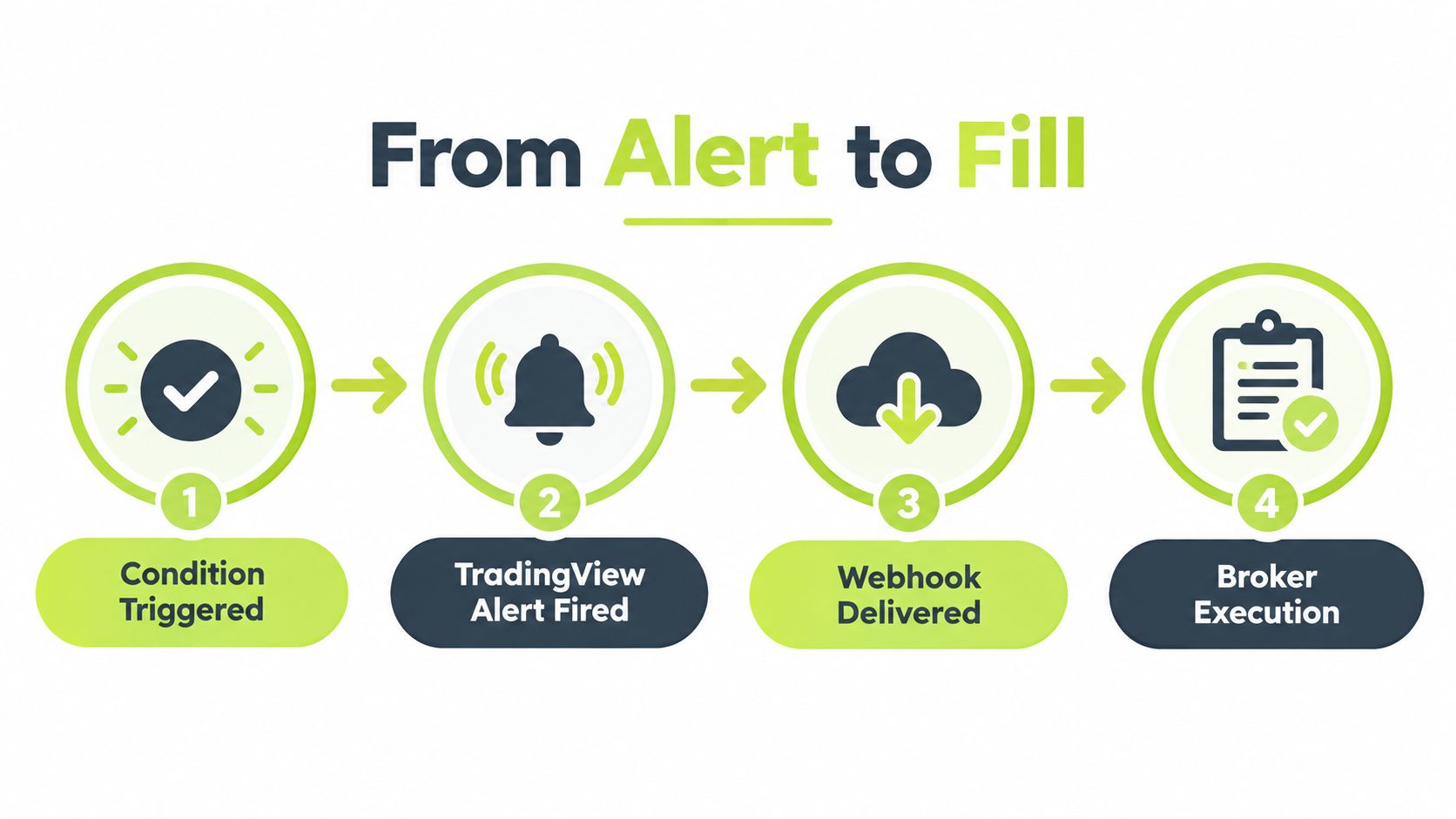
The seven states your system must track
A reliable pipeline records each transition instead of collapsing everything into a single success flag:
- Strategy evaluation: Pine Script checks the current bar and decides whether the entry or exit conditions are met.
- Alert generation: TradingView creates the alert event.
- Webhook delivery: TradingView sends the HTTP POST request to your receiver.
- Payload validation: The receiver authenticates, parses, and checks the event ID, symbol, side, quantity, and timestamp.
- Risk and position checks: The system verifies whether the requested trade is allowed and whether the current position already reflects the signal.
- Broker response: The broker accepts or rejects the submitted order.
- Reconciliation: The system records acknowledgement and later confirms whether the order is pending, partially filled, canceled, or filled.
TradingView's alert documentation notes that alerts are triggered from live market evaluation, while broker fill state lives outside Pine Script's direct awareness (TradingView's alert concepts). An alert timestamp is therefore not a fill timestamp. Persist a unique event ID, strategy version, intended quantity, symbol, side, and signal time before you submit anything.
Operational rule: Never let a green webhook receipt stand in for broker confirmation.
Setting Up Your Secure Pipeline with Pineflows
Automation doesn't require you to paste broker credentials into a script or chat window. A safer setup keeps authentication with the broker and gives the execution service only the permissions and connection path it needs.
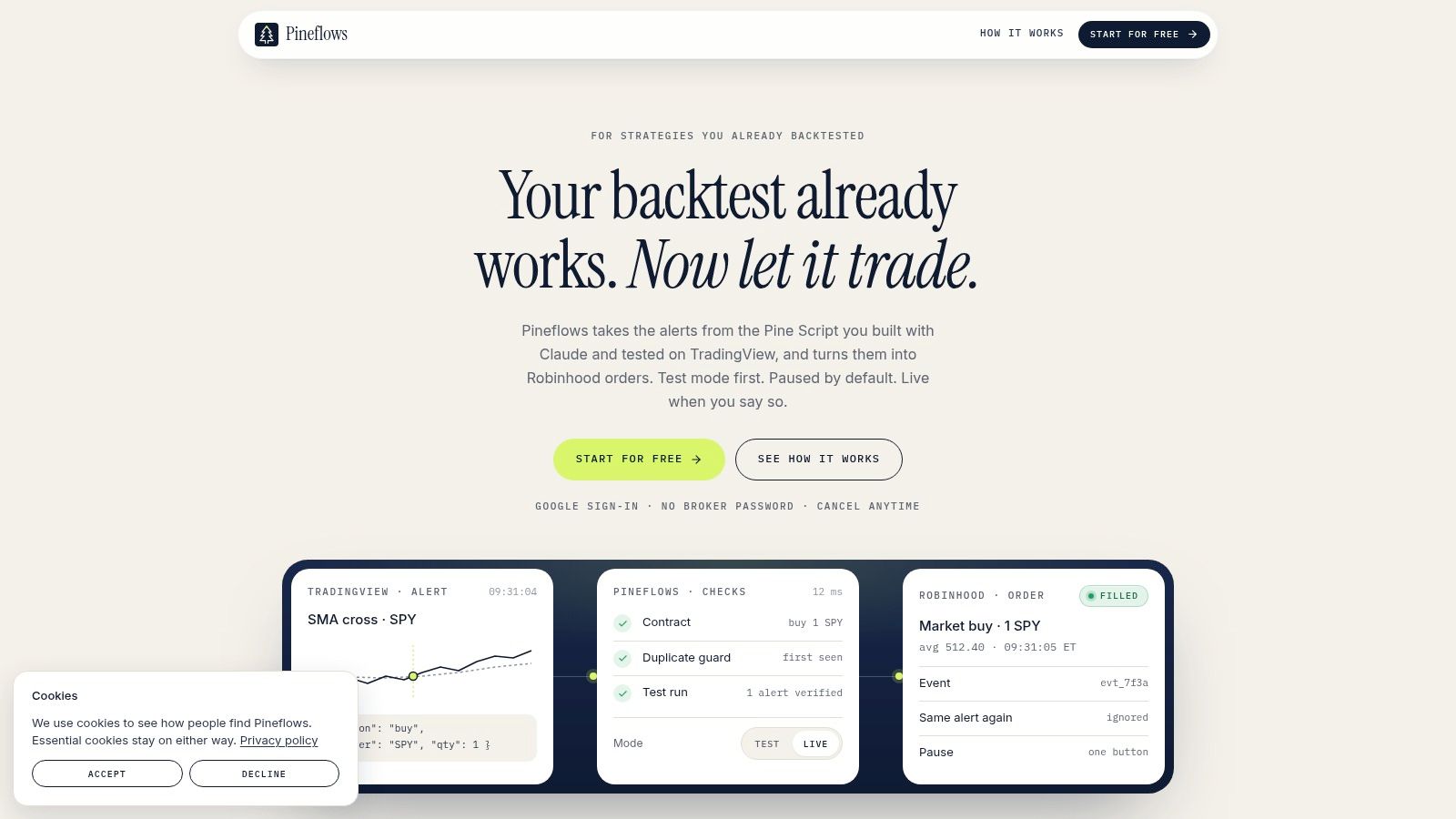
Pineflows is designed to convert TradingView alerts into Robinhood market orders while preserving that separation. Its onboarding uses one-click Google sign-in, and the service states that it doesn't request or store Robinhood passwords or reusable broker tokens in chat or forms. The setup is intended to be completed through four guided steps, with the first real alert used to verify the route before live execution.
A practical onboarding sequence
Start by signing in and connecting the required account through the guided flow. Don't begin by modifying a working Pine Script. First establish the execution boundary, then decide which alert payload should represent an entry or exit.
Next, use the Claude connector to interpret your existing strategy logic. It can propose parameters for entries, exits, instruments, and position sizing, which helps translate the intent of a backtested script into an operational configuration. Treat the proposal as a review document, not as an authority. Confirm that the suggested side, quantity, and exit behavior match what your strategy does.
Keep the system in its default test mode while checking the event path. Incoming alerts can be logged without transmitting orders to the broker, allowing you to inspect payloads, timestamps, delivery receipts, and status transitions before capital is exposed.
A short walkthrough can help you identify where each control sits in the workflow:
The important choice isn't the fastest route from alert to order. It's whether you can answer, for every event, what the system received, what it validated, what it submitted, and what the broker ultimately did. That audit trail is more valuable than a superficially low response time.
Configuring TradingView Alerts for Webhook Delivery
A webhook alert is only one handoff in the chain. It tells your receiver that TradingView sent an event. It does not prove an order was accepted, filled, or reconciled to a live position. Set up the alert with that boundary in mind, especially if you are diagnosing why strategy state and broker state do not match.
TradingView requires a paid plan and two-factor authentication before webhook alerts can be used, so confirm those requirements first. That saves time when the actual problem is account setup rather than your receiver.
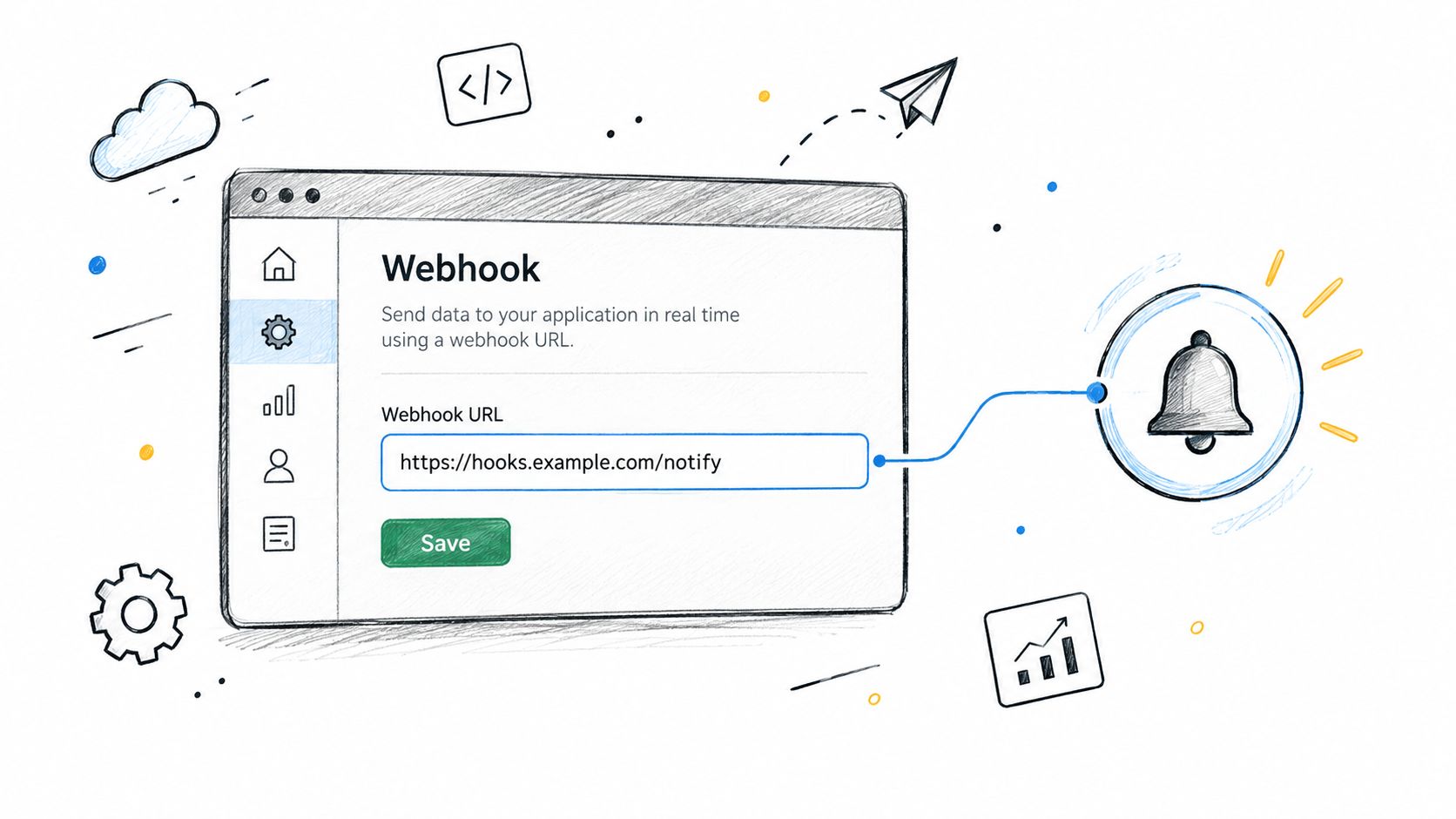
Create one consolidated alert for the strategy instead of splitting related triggers across multiple charts. One source is easier to audit, pause, and deduplicate when something odd happens. In the alert dialog, select the intended strategy condition, choose the trigger behavior that matches your execution assumptions, and paste the webhook URL supplied during onboarding. TradingView documents the setup steps in its TradingView webhook configuration guidance.
Preserve the strategy contract
Do not rewrite entry logic just to force a webhook into place. In most cases, the core task is simpler. Route the alert to the right destination and format a payload that identifies the event clearly. The receiver still needs enough context to validate and reconcile it, including the symbol, side, intended quantity, strategy version, and signal timestamp.
Choose bar-close or intrabar behavior deliberately. An intrabar signal can disappear before the candle closes. A bar-close alert arrives later, but it aligns better with strategies that only act on confirmed bars. The safer choice is the one that matches how the strategy was designed and how you expect live orders to be evaluated downstream.
Review your script for pyramiding, repeated entries, and exit handling. A chart that looks like one clean position can still emit multiple events when conditions remain true or overlapping logic is being watched. Check the alert log to confirm TradingView sent the event, then verify receiver logs and broker status before concluding that a position exists.
Safeguards Against Duplicates and Timing Issues
A duplicate alert rarely looks dangerous when it hits the receiver. It looks like another valid JSON payload. The problem shows up later, when the first order is still waiting on the broker and the second copy is treated as a fresh instruction. That is how one signal turns into two positions, or one exit closes more than intended.
Treat the alert as evidence that a condition fired, not as proof that a trade exists.
The first control is event ID with idempotent handling. Persist the identifier before any order submission starts. If the same identifier appears again, return a duplicate result and stop there. This also protects the chain when messages arrive out of order. An exit that lands before the related entry should not mutate position state as if the entry already filled.
Separate receipt from processing
The receiver's job is narrow. Authenticate the request, validate the minimum fields, store the payload, then respond quickly. Broker calls, retries, and fill reconciliation belong in a separate worker path. TradingView notes that webhook delivery can be canceled if the receiving server takes longer than three seconds (TradingView's webhook support documentation). Fast acknowledgement protects delivery. It does not confirm submission, acceptance, or fill.
This is the handler-level view of the seven states from the chain section, collapsed to what your receiver must persist:
- Received: The webhook reached the handler and the raw payload was stored.
- Validated: Authentication, schema checks, and replay checks passed.
- Queued or submitted: The event was handed to the execution path or sent onward to the broker.
- Accepted or rejected: The broker answered the order request.
- Resolved: Later checks determined filled, partially filled, canceled, or still unknown.
Important distinction: An HTTP 200 means the message was handled. It does not mean the broker created a position.
Timing trouble also comes from bursts. A strategy can behave cleanly in backtests and still fire a cluster of alerts in fast conditions. If alerts start stacking up, you need rate monitoring, queue visibility, and a rule for what happens after any platform-side halt or delivery gap. In practice, that usually means pausing new entries, reconciling broker positions against internal state, and only then resuming automation. That extra step is slower. It is also what keeps a transient alert problem from becoming an account-level mistake.
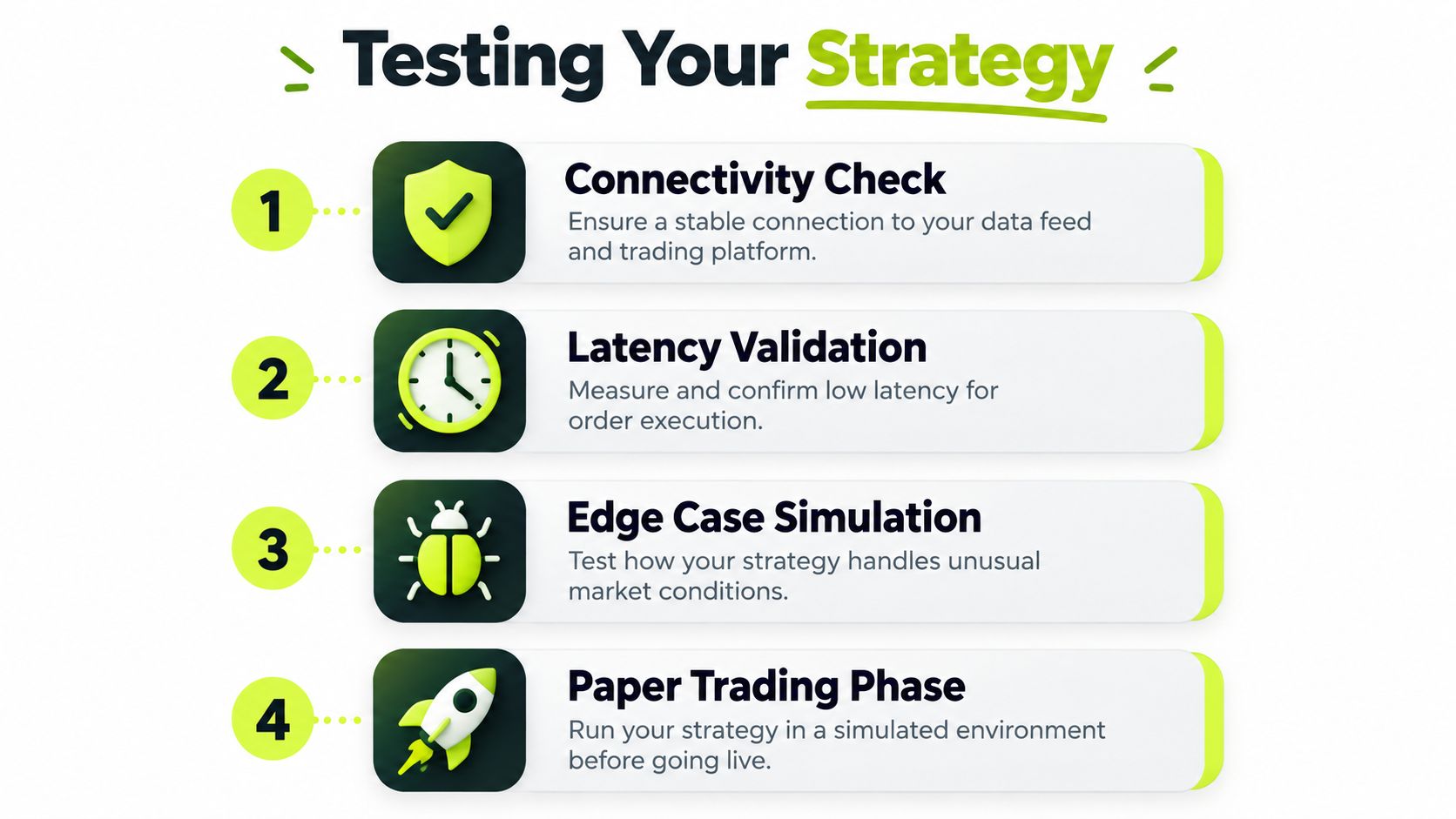
Testing Your Strategy Before Going Live
The ugly failures usually show up after the alert is sent. A webhook arrives, your handler returns 200, and everyone assumes the trade exists. Then the broker rejects the order, or the response times out, and your system still marks the position as open. That is the gap testing needs to expose before any live capital is involved.
Backtests answer whether the logic would have produced trades under historical assumptions. Go-live testing answers a different question. Can the full chain move from alert to broker response to confirmed position state without drifting out of sync?
As a practitioner baseline, run 20 to 30 paper or test events before enabling live orders. The number is not about statistical confidence. It is enough to hit the transitions and failure paths that break retail automation in practice, especially the cases where webhook receipt and actual position existence diverge.
Test failures, not just successful entries
A useful test set covers more than clean fills:
- Normal entries and exits: Confirm the intended side, symbol, and quantity pass through each recorded state and resolve to the expected broker position.
- Duplicate delivery: Replay the same event and verify the second request is blocked without creating another order.
- Malformed payloads: Remove a required field or break the JSON and confirm validation stops processing before submission.
- Stale timestamps: Send an old event and check that it is refused or quarantined.
- Rejected orders: Simulate broker rejection and verify internal state stays flat, or is clearly flagged for review.
- Unknown outcomes: Force a timeout after submission and confirm the system checks broker state before any retry.
- Pause behavior: Block new entries while keeping risk-reducing exits available.
Measure the strategy and the execution path separately. A strong backtest says nothing about whether the automation handled valid instructions correctly in real conditions. Track accepted orders divided by valid signals, duplicate events prevented, median alert-to-submit latency, and final fill or rejection rates. Those numbers show whether the pipeline executes correctly, and whether it reconciles state instead of guessing.
The Pine Script strategy guidance helps at the script layer, but live validation has to include the receiver and the broker. Fast handling is useful. Correct state is safer. If an earlier request has not been accepted, rejected, or reconciled, speed only makes it easier to place the wrong second order.
Going Live Safely with Pause and Audit Controls
Going live should be an explicit escalation, not a toggle you flip because the chart looks clean. Start with test mode, inspect incoming payloads, compare TradingView records with receiver events, and confirm that broker acknowledgements resolve into the expected position state.
Pineflows uses a test-first workflow that logs alerts without transmitting orders until live execution is enabled. Once the event path is understood, use the pause control as an operational circuit breaker. Disconnecting everything can leave an existing position unmanaged, while a targeted pause can block new entries and cancel pending entry orders created by the automation while keeping valid exits available for risk handling.
The final review before activation
Check these items in order:
- Strategy identity: Confirm the deployed logic and version match the script you tested.
- Position state: Compare the broker's actual holdings with the automation's recorded state.
- Event visibility: Verify that payloads, delivery receipts, and status transitions are human-readable.
- Duplicate protection: Confirm that an event ID can trigger no more than one order.
- Pause behavior: Test that new entries stop while valid exits can still reduce risk.
- Reconciliation: Ensure unknown or delayed broker responses trigger a status check rather than an automatic retry.
A durable audit trail should preserve the original event, the validation result, the submitted order identifier, broker responses, timestamps, and final fill details. That record lets you determine whether a loss came from strategy logic, market movement, rejected instructions, delayed delivery, or an operational mistake.
TradingView automated trading becomes manageable when the system answers one question after every signal: what position exists now, and what evidence proves it?
Pineflows turns TradingView alerts into Robinhood market orders with test mode, event-ID duplicate protection, pause controls, delivery receipts, and broker status visibility. If you want to validate the full path from Pine Script signal to confirmed position before enabling live execution, visit Pineflows and review the guided setup.