# 7 Trading Bots for Beginners to Compare in 2026
> Compare 7 trading bots for beginners by setup, test modes, safety controls, costs, and trading goals across crypto and Robinhood workflows.
Source: https://pineflows.com/blog/trading-bots-for-beginners
Published: 2026-09-30
Updated: 2026-09-30
Tags: trading bots for beginners, crypto trading bots, TradingView automation, Robinhood trading, algorithmic trading
The most popular advice about trading bots for beginners starts in the wrong place. It asks which platform has the most indicators, AI features, or strategy templates. A safer first question is whether you can explain the complete workflow from signal to order, including where the strategy runs, which broker or exchange receives the order, how you test it, how you pause it, how duplicate alerts are handled, and what credentials the service can access.
This comparison evaluates **Pineflows, Pionex, 3Commas, TradeSanta, Bitsgap, Kryll, and WunderTrading** by that verification path rather than by feature count alone. The distinction matters because exchange-native crypto bots and TradingView-to-Robinhood automation solve different problems. Backtesting can help you examine historical behavior, but it isn't a forecast, and automation doesn't turn an unproven strategy into a profitable one.
## Table of Contents
- [1. Pineflows](#1-pineflows)
- [Why the safety path stands out](#why-the-safety-path-stands-out)
- [2. Pionex](#2-pionex)
- [The trade-off is simplicity versus control](#the-trade-off-is-simplicity-versus-control)
- [3. 3Commas](#3-3commas)
- [Where 3Commas fits](#where-3commas-fits)
- [4. TradeSanta](#4-tradesanta)
- [What to verify before funding](#what-to-verify-before-funding)
- [5. Bitsgap](#5-bitsgap)
- [Who should choose Bitsgap](#who-should-choose-bitsgap)
- [6. Kryll](#6-kryll)
- [Experimentation without blind trust](#experimentation-without-blind-trust)
- [7. WunderTrading](#7-wundertrading)
- [A flexible path with more decisions](#a-flexible-path-with-more-decisions)
- [Top 7 Beginner Trading Bots Comparison](#top-7-beginner-trading-bots-comparison)
- [Choose the Safest First Automation Path](#choose-the-safest-first-automation-path)
## 1. Pineflows
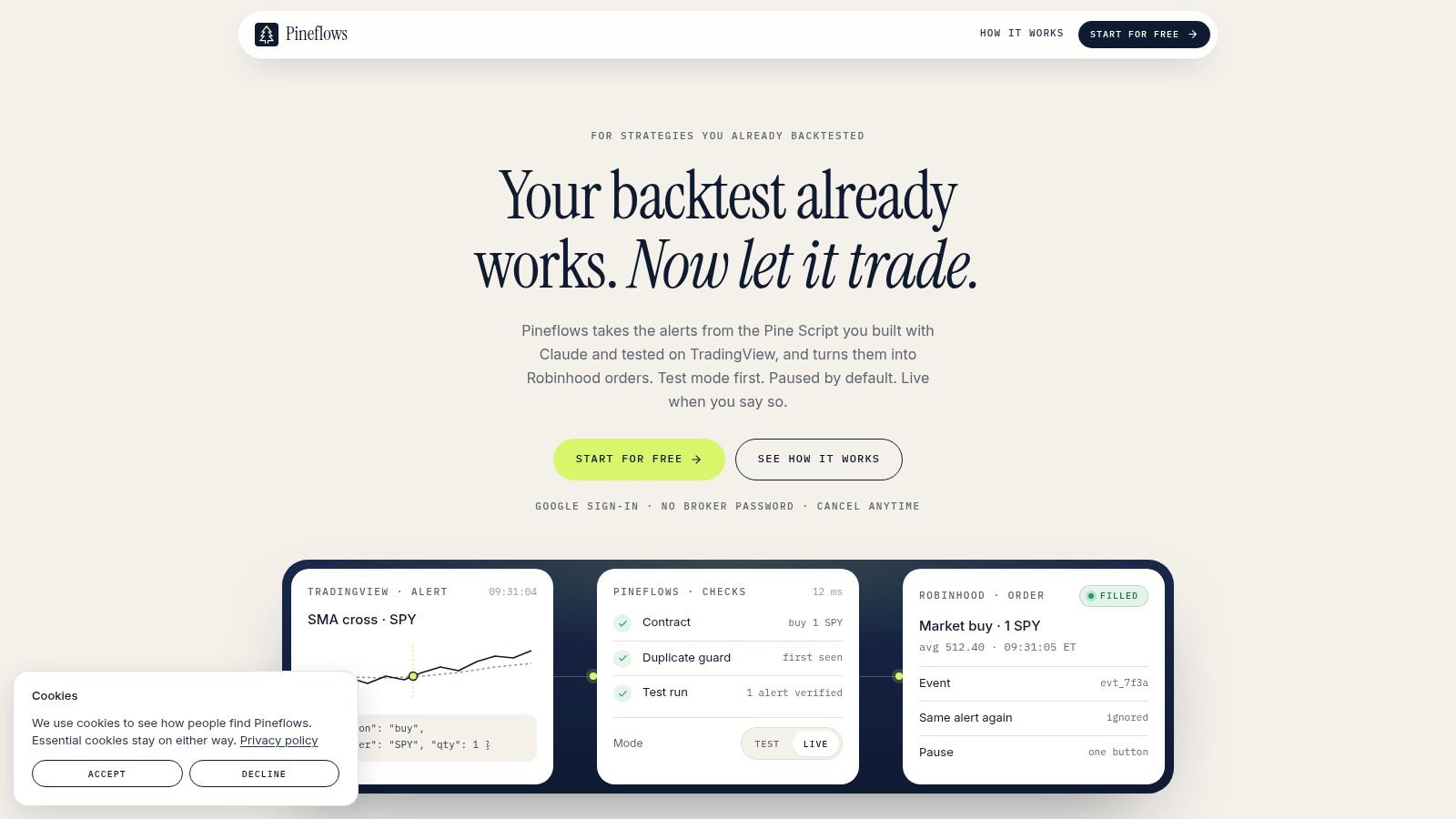
[Pineflows](https://pineflows.com) is the most focused option in this list. It turns TradingView Pine Script strategy alerts into Robinhood market orders, so its suitability depends on a very specific starting point: you already use TradingView, you trade through Robinhood, and you want a controlled path from a tested signal to execution.
Its strongest beginner feature is the order of operations. Incoming alerts are logged in **Test mode by default**, and Pineflows doesn't transmit them to the broker until you explicitly enable live execution. That gives you a chance to inspect the alert, its payload, delivery status, and processing steps before trusting the connection with real orders.
The platform also separates access from execution. Pineflows uses Google sign-in and doesn't ask for or store Robinhood credentials. A Claude connector interprets Pine Script and proposes configuration for instruments, entries, exits, and position sizing, while the underlying strategy remains the strategy you authored and backtested.
> **Practical rule:** Don't treat the first successful webhook as proof that the strategy works. Treat it as proof that the workflow works, then evaluate the strategy separately.
### Why the safety path stands out
Pineflows includes a global **Pause** control that blocks new entries while keeping valid exits available for risk handling. Its idempotent event IDs are designed to prevent the same alert from producing repeated fills, and each event receives logs, delivery receipts, status checks, and human-readable payload inspection. Those details answer questions beginners often can't answer after an automated order appears: Did the alert arrive? Was it accepted? Was an order transmitted? Was it filled?
Setup is deliberately narrow. The guided flow covers Google sign-in, connecting Claude, creating one TradingView webhook alert, and reviewing the configuration before going live. The workflow requires a paid TradingView plan with two-factor authentication enabled, so the apparent simplicity still depends on external services.
Pineflows Pilot costs **$29 per month** and includes a **7-day free trial**, with the trial starting after onboarding and no card required to begin. There are no customer testimonials, awards, or third-party certifications displayed on the site, so a careful buyer should rely on the available documentation, FAQ, support material, and their own verification of the workflow.
This is the best fit for **Robinhood users who already backtest Pine Script strategies** and want auditability, duplicate protection, credential separation, and an explicit test-to-live boundary. It isn't a general multi-broker bot, and it isn't a crypto exchange.
## 2. Pionex
[Pionex](https://www.pionex.com) takes the opposite approach to Pineflows. Instead of connecting an external strategy language to a broker, it puts the exchange and the bot in one environment. That makes it one of the easiest starting points for a beginner who wants to explore crypto automation without assembling a separate exchange account, API connection, webhook, and execution service.
The platform provides **15 or more built-in bots**, including Grid and DCA options, and runs them natively on the exchange. You don't need to write code or configure a third-party connector. Pionex also offers demo trading, which gives you a way to observe the interface and bot behavior with virtual funds before deciding whether the workflow makes sense for you.
### The trade-off is simplicity versus control
Pionex's integrated setup reduces operational friction, but it also narrows the strategy path. You choose from preconfigured bot types rather than routing a custom Pine Script strategy into a separate brokerage account. That makes it a poor match for someone whose main requirement is Robinhood execution or precise control over an independently authored TradingView strategy.
The cost structure is also easy to understand. Pionex doesn't charge a separate bot subscription fee, but users still pay the exchange's standard trading fees. The platform describes transparent spot trading fees that vary by pair, with **0.05%** given as an example on its product information. Check the current schedule for the specific market you intend to trade, and account for spreads and other costs before judging a bot's results.
- **Best workflow:** Choose a built-in crypto bot, configure its parameters, and use demo mode before considering live funds.
- **Main safeguard:** Practice with virtual funds rather than treating the first configuration as ready for live execution.
- **Primary limitation:** It supports crypto workflows, not equities or Robinhood connectivity.
Pionex is the clearest choice for someone who values a single-app experience above strategy portability. Its convenience doesn't remove market risk, custody considerations, or the need to understand what a Grid or DCA bot will do in changing conditions.

## 3. 3Commas
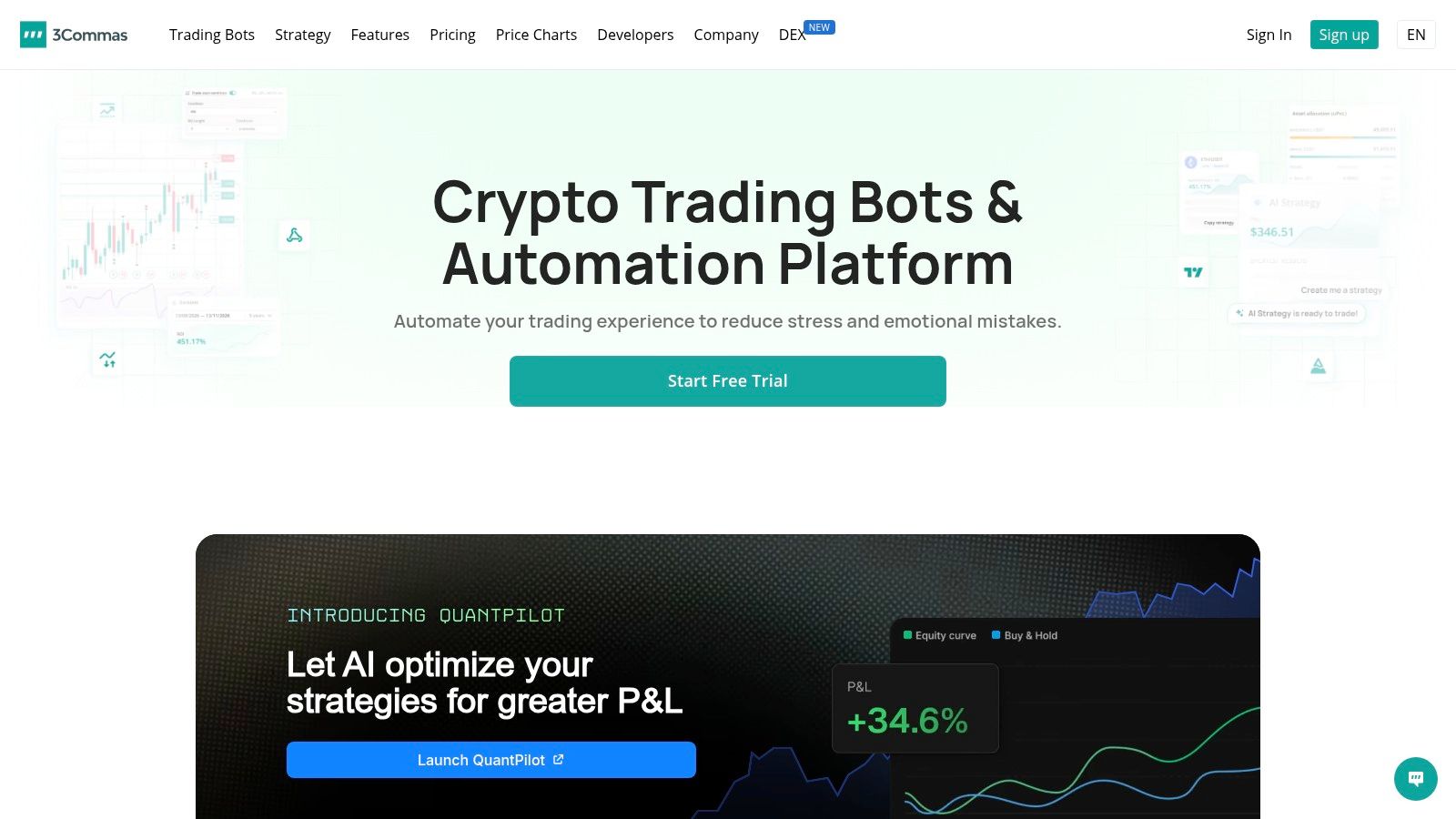
[3Commas](https://3commas.io) is a broader crypto automation suite for beginners who want to move from a TradingView signal toward exchange execution. Its Signal Bot can receive TradingView alerts through webhooks, while DCA bots, Grid bots, SmartTrade, and multi-exchange support provide several ways to expand the workflow later.
The appeal is the visible chain between signal and action. You create or maintain the strategy in TradingView, send an alert through a webhook, and configure 3Commas to translate that signal into an exchange order. That separation can be useful because it keeps strategy creation distinct from execution, but it also creates more places to verify.
Before live execution, check the webhook payload format, the selected exchange, the permitted symbols, order sizing, and the API permissions. A beginner who skips those checks may have a valid TradingView alert but still produce an incorrect or rejected order. The [TradingView alert documentation](https://docs.pineflows.com/tradingview-alert) offers a useful reference for understanding what an alert must communicate, even though the execution destinations differ.
> The more connectors a workflow has, the more carefully you should inspect each handoff.
### Where 3Commas fits
3Commas makes sense for a crypto trader who wants one dashboard across supported exchanges and prefers guided bot types over building an execution system from scratch. Its plan structure is tiered, with Starter, Pro, and Expert levels, so the appropriate cost depends on the features and usage limits you need. Verify current plan details before subscribing.
The platform's main beginner challenge is configuration literacy. TradingView alerts, webhooks, exchange API permissions, DCA logic, and Grid parameters each have their own failure modes. Documentation and community material can shorten the learning curve, but they don't replace a test order or a clear understanding of what happens when an alert is repeated, delayed, rejected, or received after a position has already changed.
3Commas is therefore a strong fit for **crypto users who already think in TradingView signals** and want broader exchange coverage. It isn't a Robinhood automation tool, and a successful backtest still says nothing definitive about live fills, fees, liquidity, or future performance.
## 4. TradeSanta
[TradeSanta](https://tradesanta.com) is built around a gentler crypto automation workflow. Its Grid and DCA bots support spot markets and supported futures pairs, while TradingView screener signals and custom alerts let users introduce indicator-based entries without placing every order manually.
The beginner advantage is the use of templates. You can start with a defined bot type, connect the relevant exchange, select supported markets, and configure the parameters through a web interface. That is less demanding than designing a complete execution service, but it still requires careful review of position sizing, entry conditions, take-profit behavior, and what happens when the market moves beyond the bot's intended range.
### What to verify before funding
TradeSanta's signal options reduce manual work, but they don't eliminate the need to understand the signal source. If you connect a custom TradingView alert, inspect the message and confirm that the platform maps it to the intended action. The [webhook guidance](https://docs.pineflows.com/webhooks) is useful for thinking through delivery, payload content, and the difference between an alert being sent and an order being completed.
- **Workflow fit:** Cloud-based crypto bots for users who want templates and a web terminal.
- **Testing question:** Confirm which practice or trial capabilities are available under the current plan before connecting live exchange permissions.
- **Execution question:** Determine whether the bot can pause new entries, how it handles existing positions, and how you revoke exchange access.
TradeSanta offers a free trial and plan-based limits, but exact costs and capabilities can change, so check the current product page before treating the subscription as part of your trading budget. Its design is more approachable than a highly customizable quant platform, yet that simplicity can become a constraint when you want unusual conditions or highly specific strategy logic.
The platform is a sensible choice for **crypto beginners who want DCA or Grid automation with TradingView support** and don't need stock or Robinhood execution. It isn't the right tool for someone whose first requirement is a transparent Pine Script-to-equities pipeline.

## 5. Bitsgap
[Bitsgap](https://bitsgap.com) combines a unified crypto trading terminal with Grid, DCA, COMBO, and futures bots. Its main beginner proposition is consolidation. If you use more than one supported exchange, a single interface can make it easier to compare configurations and manage orders without switching between separate dashboards.
The platform also includes an **AI Assistant** that proposes bot ranges and parameters. That may reduce the blank-page problem for a first-time user, but it shouldn't be mistaken for independent validation. A suggested range is still a setting that needs to be checked against the asset, the strategy's assumptions, the exchange permissions, and the conditions under which the bot will stop or continue operating.
Backtesting is available, with longer lookbacks associated with higher tiers. That can help you inspect how a configuration behaved under historical data, but a longer historical window doesn't prove that a live configuration will behave the same way. You still need to ask whether fees, unfilled orders, slippage, and changing market conditions are represented in the test.
> A parameter recommendation is a starting configuration, not a risk decision.
### Who should choose Bitsgap
Bitsgap is a good fit for beginners who value a clean interface and **multi-exchange management** more than a custom stock-broker connection. Its 7-day Pro trial gives prospective users a time-limited opportunity to examine the workflow, while tiered plans let them compare access levels before committing.
The key safeguards are operational rather than predictive. Confirm which exchange keys are required, whether withdrawals can be disabled, how access is revoked, and whether the terminal distinguishes an order proposal from an order submitted to the exchange. Also inspect how the bot handles a disconnected exchange, a rejected order, and a position that no longer matches the original range.
Bitsgap supports crypto only, so it cannot replace Robinhood automation. Its AI assistance may make configuration easier, but beginners still need to approve every parameter and understand the bot's stop conditions before enabling live execution.
## 6. Kryll
[Kryll](https://kryll.io) approaches automation as a visual workflow rather than a conventional bot configuration screen. Its drag-and-drop strategy editor lets beginners assemble logic from blocks without writing code, while live and paper testing modes support experimentation before a strategy is exposed to live crypto markets.
That visual model changes what you need to verify. Instead of reading a Pine Script or a webhook payload, you inspect the sequence of blocks, the conditions that move the workflow forward, and the actions that follow each branch. A visual interface can make logic easier to see, but it can also create false confidence if the user doesn't test edge cases such as missing data, repeated signals, an already open position, or an unavailable market.
Kryll uses pay-as-you-go pricing tied to allocated capital rather than relying only on a monthly subscription. That can suit a beginner who wants to avoid a recurring commitment, but the variable model means you should estimate costs for the actual amount you plan to allocate. The platform also offers a strategy marketplace, where users can explore community and publisher strategies.
### Experimentation without blind trust
Marketplace strategies deserve the same scrutiny as automated configurations you build yourself. Check what the strategy does, what permissions it needs, how its results are presented, and whether you can test it without committing funds. Community availability is not proof of quality, and a visual workflow is not a guarantee against loss.
The [Pine Script automation guide](https://docs.pineflows.com/pine-script-automation) helps clarify the different task Kryll performs. Kryll is a visual crypto strategy builder, while Pineflows routes TradingView Pine Script alerts into Robinhood. They may both appeal to non-coders, but they belong to different execution paths.
- **Best fit:** Beginners who want visual logic, paper testing, and variable usage-based costs.
- **Main caution:** Costs can rise with larger capital allocations, and live strategies still require monitoring.
- **Compatibility boundary:** Crypto only, with no Robinhood or stock execution.
Kryll is the most natural choice here for learning how a strategy is structured visually. It isn't the simplest path for a TradingView-to-Robinhood trader, and its marketplace shouldn't replace independent verification.
## 7. WunderTrading
[WunderTrading](https://wundertrading.com) is a crypto automation and copy-trading platform with a strong TradingView connection. It supports indicator and strategy automation through webhooks, alongside Grid, DCA, market-neutral, and manual trading tools. That makes it suitable for a beginner who wants to start with a signal-based workflow and retain access to a manual terminal.
Its most important safety message is about API permissions. WunderTrading recommends API keys without withdrawal permissions, which reflects a basic but essential separation: an automation service may need to submit trades, but it shouldn't need the ability to move assets away from the exchange. You should still verify the exact permissions during setup and learn how to revoke the key before funding the connection.
### A flexible path with more decisions
WunderTrading provides risk controls such as trailing stops and multiple take-profit settings, but those controls only help if you understand their trigger behavior. Review whether a trailing stop is exchange-native or managed by the platform, what happens during a connection outage, and whether a pending order remains active after you pause the bot.
The platform offers a free plan and a 7-day Pro trial. Exact monthly pricing can vary and may be rendered dynamically at checkout, so verify the current figures and included limits before comparing it with a fixed-cost service. Hyperliquid users may also see different access terms, which makes account and plan verification particularly important.
WunderTrading is a good choice for **TradingView-oriented crypto execution** when you want a mixture of automated bots, copy-trading, and manual controls. It doesn't support Robinhood or stock execution. Its flexibility is useful, but beginners should resist enabling several bot types at once. Start with one strategy, one exchange connection, and one clearly documented permission set.
## Top 7 Beginner Trading Bots Comparison
| Solution | Complexity (🔄) | Resources (💡) | Expected outcomes (📊) | Ideal use cases | Key advantages (⭐) |
|---|---:|---|---|---|---|
| Pineflows | 🔄🔄 Medium, guided 4‑step setup; webhook + connector | TradingView paid plan (2FA), Robinhood account, Claude connector, Google sign‑in | 📊 Deterministic, auditable TradingView → Robinhood execution; strong traceability. ⭐⭐⭐⭐ | Retail traders / quant hobbyists wanting plug‑and‑play, safe Robinhood automation | ⭐ Test‑first default & global Pause; idempotent alerts; end‑to‑end logs; ⚡ predictable execution |
| Pionex | 🔄 Low, native bots on exchange, no code | Pionex account/funds; no extra bot subscription; optional demo mode | 📊 Immediate, native exchange bot execution; easy demo practice. ⭐⭐⭐ | Beginners seeking simple, no‑setup crypto bots | ⭐ Built‑in Grid/DCA bots; demo mode; no separate bot fees; ⚡ native execution |
| 3Commas | 🔄🔄 Medium, webhook formatting and multi‑exchange setup | Exchange API keys, TradingView alerts, subscription tier for features | 📊 Flexible multi‑exchange automation from TradingView alerts. ⭐⭐⭐⭐ | Users migrating from signals to cross‑exchange automated execution | ⭐ Broad exchange support; clear TradingView → webhook docs; tiered plans to scale |
| TradeSanta | 🔄 Low, template‑driven UI, straightforward setup | Exchange API keys, optional TradingView signals, plan limits/free trial | 📊 Simple indicator‑driven spot/futures bots; easy onboarding. ⭐⭐⭐ | Beginners wanting template bots and TradingView signal integration | ⭐ Beginner‑friendly templates; native TradingView signals; simple web terminal |
| Bitsgap | 🔄🔄 Medium, unified terminal with AI parameter assistance | Multiple exchange API keys, subscription tiers for advanced features, trial | 📊 Multi‑exchange management + AI‑suggested bot params; consolidated terminal. ⭐⭐⭐⭐ | Users managing several exchanges who want presets and AI help | ⭐ Multi‑exchange control; AI Assistant for ranges; presets and backtesting |
| Kryll | 🔄🔄 Low–Medium, visual drag‑and‑drop strategy building | Exchange API keys, pay‑as‑you‑go fees (based on capital), optional KRL token | 📊 No‑code strategy creation with live & paper testing; variable cost model. ⭐⭐⭐ | Experimenters wanting visual, low‑commitment strategy testing | ⭐ Visual editor; pay‑per‑use pricing; marketplace of community strategies |
| WunderTrading | 🔄🔄 Medium, TradingView alert routing and bot config | Exchange API keys (no‑withdraw recommended), free tier + trials, TradingView | 📊 TradingView→exchange automation with copy‑trading and manual terminal. ⭐⭐⭐⭐ | Beginners → intermediate users using TradingView signals and copy‑trading | ⭐ Strong TradingView focus; API safety guidance; free tier + Pro trial |
## Choose the Safest First Automation Path
The right choice depends less on which platform appears most advanced and more on the workflow you can verify from end to end. Choose **Pionex** if you want the simplest exchange-native crypto experience, built-in bot types, and demo practice without a separate API setup. Choose **Kryll** if you want to learn through visual strategy blocks and prefer pay-as-you-go experimentation over a recurring subscription.
Choose **3Commas, TradeSanta, or WunderTrading** if your main goal is TradingView-oriented crypto execution. 3Commas is the broadest fit for users who want multi-exchange automation and several bot categories. TradeSanta favors simpler templates and a gentler setup. WunderTrading is attractive when you want TradingView alerts, manual trading, and explicit attention to withdrawal-limited API keys in the same ecosystem.
Choose **Bitsgap** when multi-exchange management and parameter assistance matter more than custom stock-broker execution. Its AI Assistant can help you begin configuring a bot, but you still need to verify the proposed range, test behavior, and inspect permissions yourself.
Choose **Pineflows** when the actual requirement is routing TradingView Pine Script alerts to Robinhood. Its test-first default, global pause control, duplicate protection, credential separation, event logs, delivery receipts, and payload inspection create a verification path that matches the risk concerns of a beginner moving from backtesting to execution. The trade-off is narrow compatibility. It is designed for Robinhood and TradingView workflows, not for every broker or exchange.
The broader market context explains why this distinction matters. One 2025 industry estimate placed the retail algorithmic-trading segment at about **$3.95 billion**, with expected annual growth of roughly **13.4%**, while a separate 2026 estimate placed retail investors at about **38.5%** of the algorithmic-trading market by participant type, as reported by [Obside's market overview](https://obside.com/trading-ai-agents/evolution-of-trading-bots). Retail automation is no longer a specialist-only workflow, so beginner safeguards deserve as much attention as strategy features.
Before enabling live execution, follow a narrow launch sequence:
- **Verify compatibility:** Confirm the market, broker or exchange, symbols, order types, and required external services.
- **Limit permissions:** Use trading-only access where possible, disable withdrawals, and learn how to revoke the connection.
- **Test the complete path:** Send a controlled alert or use demo mode, then inspect the payload, status, order, and fill record.
- **Confirm pause behavior:** Know whether pausing blocks new entries, cancels pending orders, or leaves existing exits active.
- **Start with minimal scope:** Use one strategy and the smallest practical live exposure, then review every event before expanding.
A bot can make execution more consistent, but it can't make an unverified strategy safe or profitable. The safest first automation is the one whose inputs, permissions, decisions, and records you can explain without relying on marketing language.
---
Pineflows turns TradingView Pine Script alerts into Robinhood orders through a test-first workflow with pause controls, duplicate protection, credential separation, and an audit trail. If that is the execution path you need, visit [Pineflows](https://pineflows.com) to review the setup and verify the workflow before going live.