# Robinhood API Trading: How Retail Traders Automate Safely
> Learn about Robinhood API trading for retail traders. Discover limits, security rules, and the safest way to automate TradingView alerts into Robinhood orders.
Source: https://pineflows.com/blog/robinhood-api-trading
Published: 2026-10-03
Updated: 2026-10-03
Tags: Robinhood API, Robinhood automation, algorithmic trading, TradingView alerts, Pine Script
Robinhood API trading doesn't provide a direct TradingView-to-Robinhood route, and its official crypto API, introduced on May 30, 2024, doesn't open unrestricted stock or ETF automation. Retail traders can automate only within strict boundaries, using authorized crypto access or a verified bridge that doesn't store Robinhood credentials.
You may already know the feeling. A Pine Script alert fires, the chart moves, and by the time you open Robinhood, check the symbol, choose an order type, and submit manually, your carefully tested entry no longer matches the strategy. The problem isn't always the strategy. Often, it's the gap between a signal and an execution path you can trust.
That gap creates a dangerous temptation. Traders search for unofficial endpoints, browser-control scripts, or services that ask for a broker username and password. Those shortcuts may look convenient, but they can also conflict with Robinhood's rules, break when authentication changes, and leave you unable to prove what happened after an unexpected order.
## Table of Contents
- [Why Retail Traders Chase Robinhood API Automation](#why-retail-traders-chase-robinhood-api-automation)
- [The expectation versus the actual access](#the-expectation-versus-the-actual-access)
- [What the Official Robinhood Crypto API Actually Allows](#what-the-official-robinhood-crypto-api-actually-allows)
- [What the API doesn't give you](#what-the-api-doesnt-give-you)
- [A realistic decision boundary](#a-realistic-decision-boundary)
- [The Verified Bridge Path for TradingView to Robinhood](#the-verified-bridge-path-for-tradingview-to-robinhood)
- [Start with the alert, not the order](#start-with-the-alert-not-the-order)
- [Make one alert equal one action](#make-one-alert-equal-one-action)
- [Verify the handoff](#verify-the-handoff)
- [Test Mode vs Live Trading and Why the Pause Button Matters](#test-mode-vs-live-trading-and-why-the-pause-button-matters)
- [What the pause control should do](#what-the-pause-control-should-do)
- [Auditing Every Order and Logs, Deduplication, and Receipts](#auditing-every-order-and-logs-deduplication-and-receipts)
- [Design around idempotency](#design-around-idempotency)
- [Keep the cost context visible](#keep-the-cost-context-visible)
- [Security Practices for Safe Retail Automation](#security-practices-for-safe-retail-automation)
- [Control the integration surface](#control-the-integration-surface)
- [Preserve the strategy's original logic](#preserve-the-strategys-original-logic)
- [Your Safe Launch Checklist for Automated Trading](#your-safe-launch-checklist-for-automated-trading)
## Why Retail Traders Chase Robinhood API Automation
A backtest gives you a clean signal. Live trading gives you a notification, a phone screen, a changing quote, and a decision that has to be made under pressure. Even when the alert is correct, manual execution introduces hesitation and creates opportunities for the wrong symbol, wrong quantity, or wrong side of the trade.
That's why retail traders keep looking for Robinhood API trading solutions. Robinhood built a large retail audience and a high-throughput trading venue. The company said it served **nearly 28 million customers across 38 countries and three continents as of July 1, 2026**, while reporting **$956 billion in equity notional trading volume in the second quarter of 2026**, up **85% year over year** in the same announcement. Those figures explain the demand for automation, but they don't mean every customer has access to programmatic stock execution. [Robinhood's global expansion and trading update](https://robinhood.com/us/en/newsroom/robinhood-accelerates-global-expansion-robinhood-chain-mainnet-stock-tokens-agentic-trading/) provides the scale behind the interest.
The key distinction is between **a large trading platform** and **a broker with an open trading API**. An app can support millions of active customers without allowing third-party software to submit orders. A charting platform can generate reliable alerts without having a permitted route into a broker account.
### The expectation versus the actual access
The official crypto API changed the conversation when Robinhood introduced it publicly on **May 30, 2024**. It gives authenticated U.S. crypto customers a machine-readable way to view market data, inspect account information, manage portfolio details, and place crypto orders. It does not establish a general stock and ETF API for retail automation.
Independent coverage also identifies the practical limitation that a direct TradingView-to-Robinhood connection isn't currently available. [TradersPost's explanation of the TradingView and Robinhood connection](https://blog.traderspost.io/article/how-to-connect-robinhood-to-tradingview) is useful because it separates the desire for direct routing from the tools that can legally and technically bridge an alert to an execution workflow.
> **Practical rule:** Treat “Robinhood API” as an asset-class and authorization question, not as a promise that any TradingView strategy can trade any Robinhood instrument.
Before choosing a connector, determine whether it uses an officially authorized route, whether it stores broker credentials, and whether it gives you a visible record of each alert and order. A workaround that submits one successful test order but offers no reliable status trail isn't a dependable automation system.
## What the Official Robinhood Crypto API Actually Allows
The official API is narrower than many search results suggest. Robinhood's documentation describes an authenticated crypto trading interface with market data, account information, holdings, buying power, trading pairs, estimated fill prices, and order placement. Supported order behavior includes **market, limit, stop-loss, and stop-limit orders**, which is enough to build meaningful crypto execution workflows, but not enough to treat the interface as a universal Robinhood trading layer. [Robinhood's crypto trading API documentation](https://docs.robinhood.com/crypto/trading/) defines the available account and order surface.
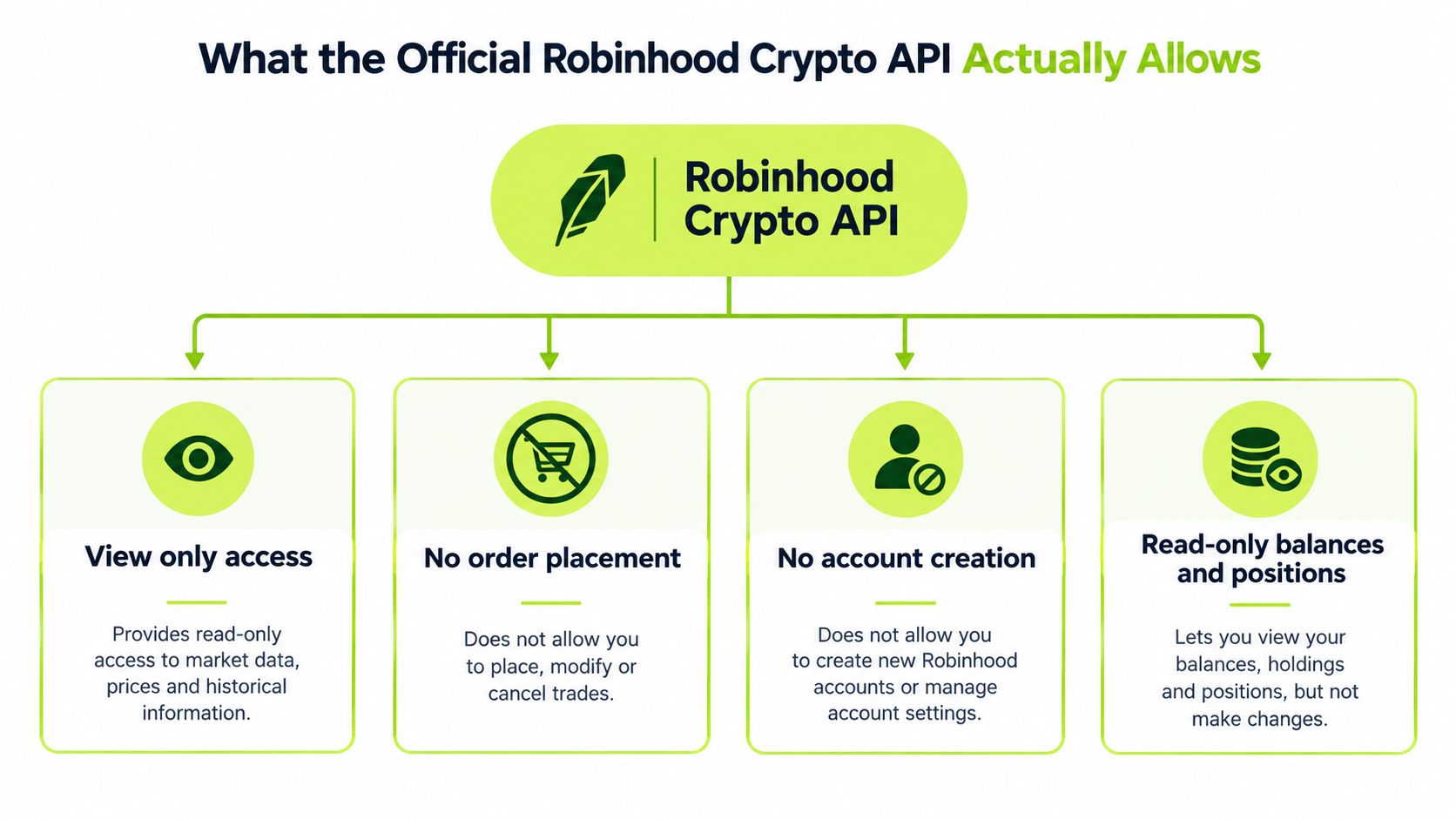
The account model matters as much as the order types. The documentation describes authenticated, account-specific access, including paginated crypto trading accounts and fee-tier information. That structure is designed for a known customer account, not anonymous public market access. It also means your integration needs to handle authentication, account selection, pagination, order status, and the possibility that the account's fee treatment depends on recent activity.
### What the API doesn't give you
The clearly documented trading API is for **U.S. crypto customers and crypto trading**, not for the broader stock and ETF business. You shouldn't assume that a crypto endpoint can be repurposed to send equity orders, options orders, or ETF orders. If your Pine Script strategy produces stock signals, the official crypto API isn't the answer.
Robinhood's policy boundary is equally important. The company says trading APIs can't be linked to an account without written authorization, and third-party apps aren't allowed to control the Robinhood app. That rules out treating screen automation or an undocumented account interface as a normal integration path.
The version structure adds another implementation detail. Robinhood separates read-only actions from order actions by version, and the current API includes fee-tier rules tied to **30-day trading volume**. The documentation also indicates that there isn't a stated deprecation timeline for version one. That doesn't remove the need to monitor changes. It means you should build around explicit version behavior rather than assuming the endpoint will remain unchanged forever.
### A realistic decision boundary
Use the official API when your use case is crypto, your account is eligible, and your authorization fits Robinhood's requirements. Don't use it as evidence that stock automation is supported.
For any workflow, separate these functions:
- **Read access:** Pull market, account, position, and buying-power information.
- **Decision logic:** Generate a signal in TradingView or another strategy engine.
- **Execution access:** Submit an order only through a permitted route.
- **Reconciliation:** Confirm the resulting order and fill independently of the alert.
That separation prevents a common design mistake, treating a signal as proof of execution. A webhook can arrive without an order being accepted. An accepted order can remain unfilled. A fill can differ from the price visible when the alert fired.
## The Verified Bridge Path for TradingView to Robinhood
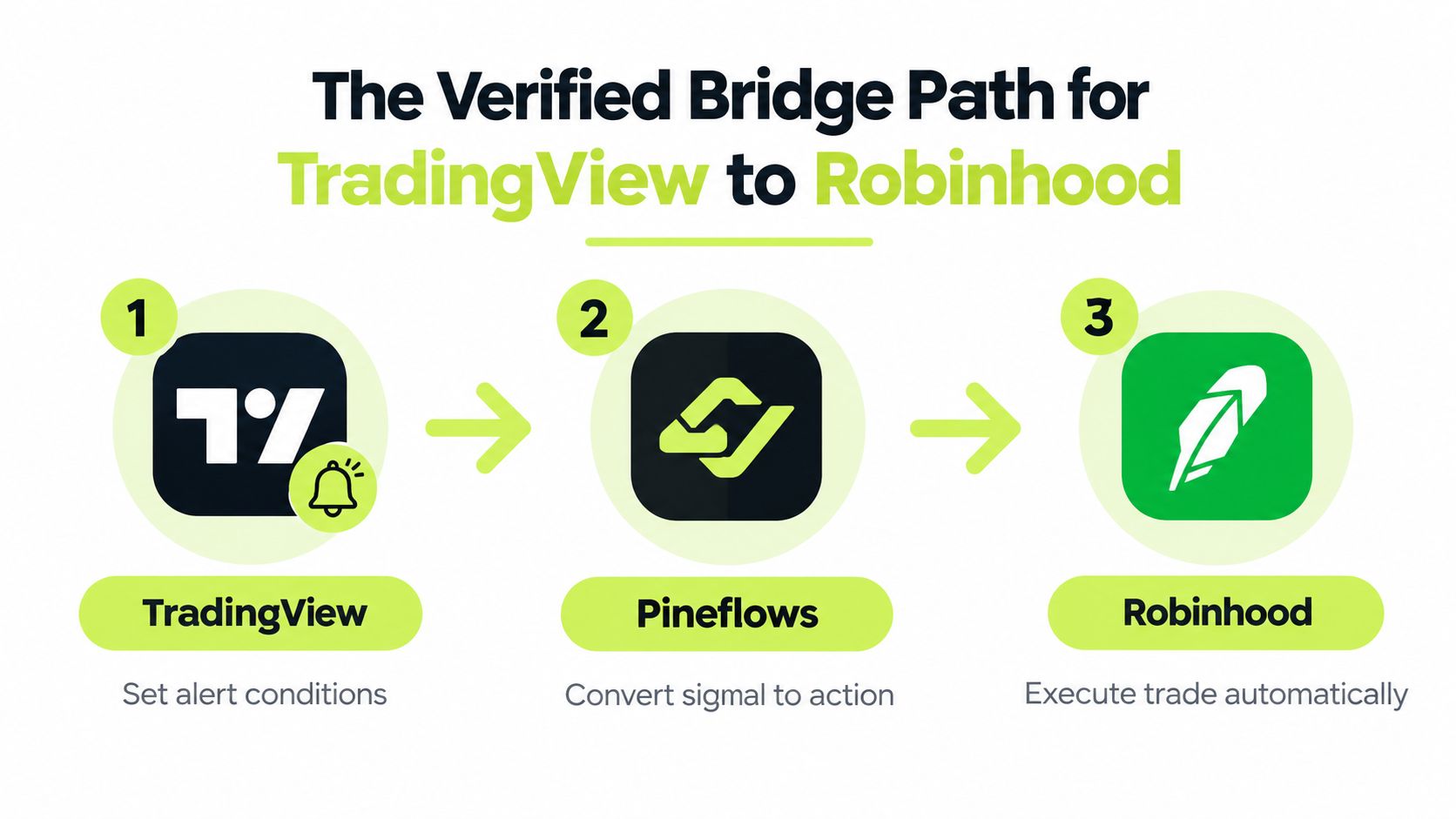
When direct routing isn't available, a webhook bridge provides a controlled handoff. TradingView generates the alert, the bridge interprets the event, and the connected execution layer submits the resulting order. The important word is **controlled**. You want a deterministic payload, an identifiable event, and a status trail, not a script that clicks through the Robinhood interface.
A practical setup follows this sequence.
### Start with the alert, not the order
Create the TradingView strategy alert from the Pine Script logic you've already tested. The alert should communicate the action, instrument, side, and sizing information required by the execution workflow. Keep the strategy logic in the script rather than rewriting entry and exit decisions inside an unrelated adapter.
A paid TradingView plan with two-factor authentication enabled is required for the webhook workflow described by the publisher. The bridge receives the alert at a supplied endpoint, converts the signal into an action, and passes it toward Robinhood without asking you to hand over a Robinhood password in a chat or setup form.
Use the [TradingView to Robinhood webhook workflow](https://pineflows.com/tradingview-to-robinhood) when you need a guided path from alert creation to order routing. The value of this approach isn't that it removes every trading risk. It removes avoidable ambiguity about where the alert went and what the system attempted to do.
### Make one alert equal one action
Repeated alerts are one of the easiest ways to create an unintended position. A sound bridge assigns each alert a unique event identifier and rejects a duplicate event instead of translating it into another order. That protection matters when TradingView retries delivery, a network connection stalls, or the same signal is generated more than once.
A connector that interprets Pine Script configuration can reduce setup friction, but it shouldn't conceal the parameters. Review the proposed instrument, side, order behavior, and position sizing before enabling live execution. If the adapter changes the strategy's logic, you aren't testing the same system you backtested.
### Verify the handoff
Send a real test alert while order transmission remains disabled. Confirm that the bridge receives the event, displays the payload in human-readable form, assigns an event ID, and records a delivery result. Only after those checks should you consider enabling live orders.
The workflow works when each stage answers a separate question:
1. Did TradingView generate the intended alert?
2. Did the bridge receive the intended event?
3. Did the execution layer interpret it correctly?
4. Did Robinhood accept the order?
5. What happened after acceptance?
A green light at stage two isn't proof of a fill at stage four. Keep those states separate.
## Test Mode vs Live Trading and Why the Pause Button Matters
The safest first launch is not a small live order. It's a **complete test event with no broker transmission**. Test mode should capture the incoming alert, show the interpreted action, and let you inspect the payload before the system can create a position.
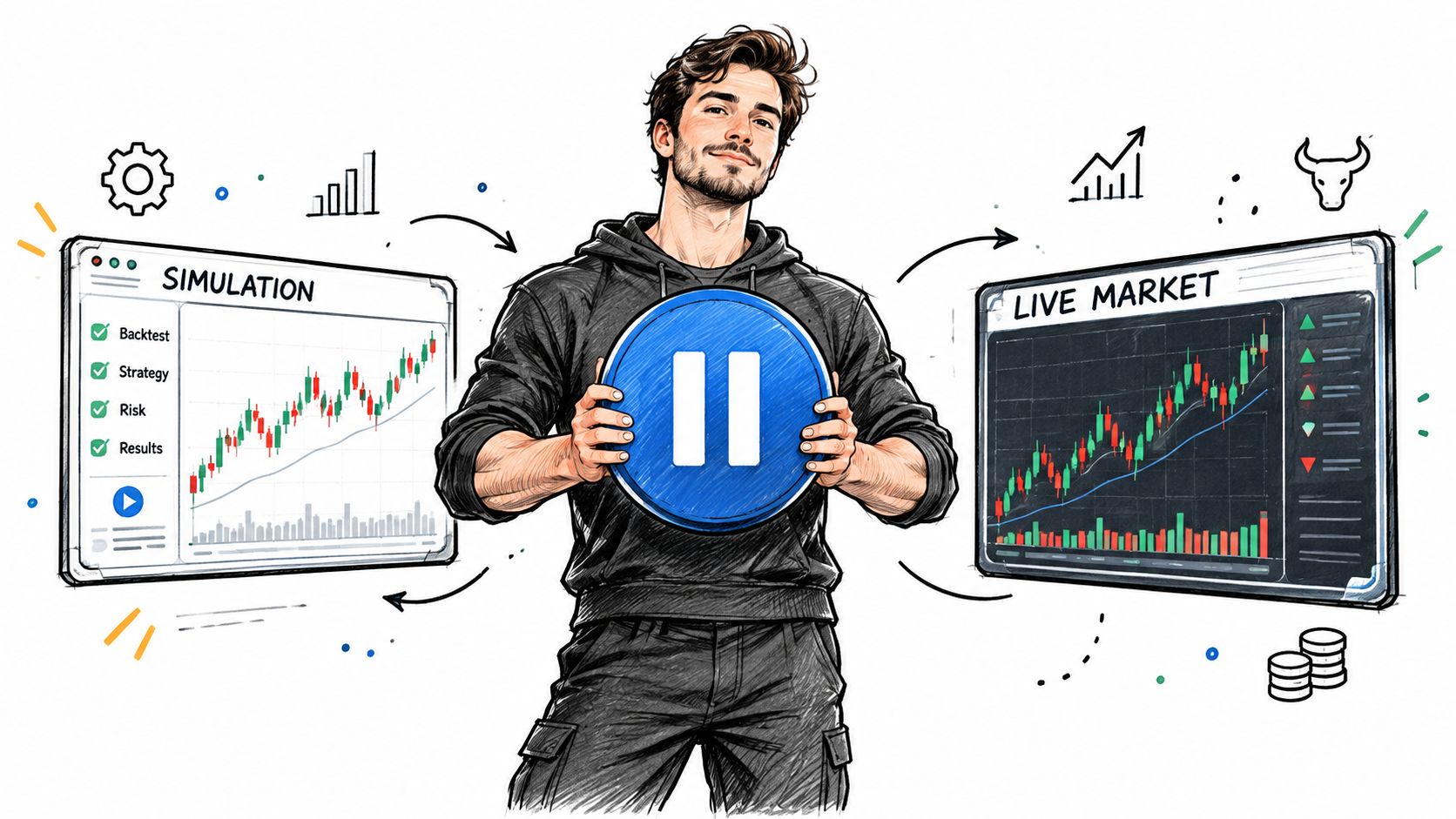
Jumping straight from a backtest to live mode creates several blind spots. You may discover that the symbol format isn't what the broker expects, the alert fires on a different bar event than intended, the quantity is interpreted incorrectly, or an exit arrives before the system has recorded the entry. Backtesting can't validate those integration details.
### What the pause control should do
A useful global pause isn't just a visual switch. It should block new entries, cancel entry orders created by the automation service, and keep valid exits available for risk handling. That last behavior matters. Pausing new exposure shouldn't trap an existing position when a valid exit signal or protective action needs to reach the broker.
The pause should also be easy to reach during a live session. Don't bury it behind a settings page that requires several steps while an alert is firing. A trader needs to know whether the system is accepting entries before investigating a signal or changing a strategy.
> **A pause button is a risk-control tool, not an admission that the automation failed.**
Move from test mode to live mode only after checking the event log, payload, alert timing, instrument, side, and sizing. Then use a controlled first alert and verify the order state manually. The first live event is an integration test with financial consequences, so treat it with more care than a normal strategy signal.
For a separate process around simulated execution and alert review, see this guide to [paper trading in TradingView](https://pineflows.com/blog/how-to-paper-trade-in-tradingview). The principle is consistent: validate the signal path before relying on live transmission.
After the first live alert, compare the event timestamp, submitted action, broker response, and resulting position. Don't mark the workflow successful merely because the order appeared in a log.
## Auditing Every Order and Logs, Deduplication, and Receipts
Automation without an audit trail is just faster uncertainty. Every event should leave enough evidence to answer what the strategy requested, what the bridge sent, what Robinhood accepted, and whether the order filled, remained open, or was rejected.
A practical log records more than “buy signal received.” It should preserve the event identifier, timestamp, instrument, action, quantity, interpreted order parameters, delivery status, broker order reference, and later status checks. Human-readable payloads let you spot a wrong side or unexpected size before you search through raw system output.
### Design around idempotency
Robinhood's crypto order endpoint uses a client-supplied unique `client_order_id`. If the same ID is sent again, the endpoint returns the originally created order instead of creating a duplicate. That retry-safe behavior is valuable for webhook workflows because a delayed or repeated delivery shouldn't automatically become a second position. [The Robinhood orders API reference](https://apis.io/apis/robinhood/robinhood-orders-api/) describes this idempotency behavior.
The safest pattern is to make the client order ID the canonical deduplication key, then confirm the outcome through order-status polling or receipt reconciliation. An alert ID, bridge event ID, and broker client order ID should map cleanly enough that you can trace one signal through the entire path.
### Keep the cost context visible
Fee-tier rules tied to **30-day trading volume** introduce another reason to keep execution records accessible. If your live behavior differs from a backtest, review the account's applicable tier, the order details, and the broker response instead of assuming the strategy changed.
A useful audit review asks:
- **Signal:** What did TradingView send?
- **Interpretation:** What action did the bridge derive?
- **Deduplication:** Was the event new or already processed?
- **Submission:** Did the broker receive an order request?
- **Outcome:** Was it accepted, filled, canceled, or rejected?
This is the difference between an automated workflow and a black box. You don't need to watch every click, but you do need a record that makes every meaningful state visible. For implementation patterns around [automated trade execution](https://pineflows.com/blog/automated-trade-execution), focus on receipts and reconciliation rather than alert volume.
## Security Practices for Safe Retail Automation
The first security question isn't “How quickly can this service place an order?” It's “What access does this service need to place one?” If a connector asks for your Robinhood password, reusable token, or credentials pasted into a form, stop and examine the design before proceeding.
A safer arrangement keeps broker authentication with the broker. The publisher describes a one-click Google sign-in for its service and says it doesn't create or store Robinhood credentials. The execution connection should still be reviewed carefully, but this design avoids handing a third party a reusable broker password.
### Control the integration surface
Don't send credentials through chat, email, spreadsheets, or ad-hoc scripts. Don't install browser automation that can control the Robinhood app when the broker explicitly prohibits third-party app control. A narrow webhook bridge has a smaller surface to inspect than a general-purpose script with access to your browser session.
Use two-factor authentication on both TradingView and Robinhood. Keep the setup inside the documented, guided flow, and record which account and strategy the connection serves. If you later change the strategy, review the alert payload instead of assuming the old configuration still matches it.
Security also includes operational permissions. A service that can create orders is different from a journal importer with read-only access. Don't confuse a trade-sync tool with an execution connector, and don't grant broader access just because a setup screen makes it convenient.
### Preserve the strategy's original logic
Automation shouldn't become an excuse to rewrite a backtested strategy in a second language or hide key conditions inside a connector. Keep entries, exits, and sizing rules in Pine Script where you can inspect and test them. The routing layer should translate a validated signal, not invent a new one.
> **Security principle:** The fewer places that can change your order logic or access your broker account, the easier it is to review the system.
Logs and deduplication can increase control rather than reduce it. They show what happened, prevent repeated events from multiplying exposure, and give you a basis for disabling the connection when behavior deviates from the test. Automation is safer when it makes decisions traceable, not when it makes them invisible.
## Your Safe Launch Checklist for Automated Trading
Use this checklist before enabling live Robinhood API trading:
1. **Confirm the asset class.** Verify that your intended workflow is supported. The official documented trading API is crypto-focused, so don't assume stock or ETF orders are covered.
2. **Check broker policy.** Avoid undocumented endpoints, app-control scripts, and unauthorized account links.
3. **Run test mode first.** Send an alert and inspect its payload, event ID, timestamp, and interpreted order.
4. **Verify deduplication.** Repeat the same event only as a controlled test, and confirm it can't create a second order.
5. **Keep the pause control ready.** Know how to block entries while preserving appropriate exits.
6. **Review the first live event manually.** Match the signal, order request, broker response, and resulting position.
7. **Reconcile after execution.** A received alert isn't a fill, and an accepted order may still need status review.
Don't go live because the chart looks convincing. Go live when the alert path is understandable, authorized, testable, and auditable.
---
Pineflows turns TradingView alerts from Pine Script strategies into Robinhood orders through a test-first workflow with logs, delivery receipts, duplicate detection, and a live pause control. If you want to validate your signal path before allowing order transmission, visit [Pineflows](https://pineflows.com) and review the guided setup.