# Robinhood Algorithmic Trading: How to Automate Safely
> Learn what Robinhood algorithmic trading allows, how to build alert-to-order workflows, test them safely, and set risk limits before going live.
Source: https://pineflows.com/blog/robinhood-algorithmic-trading
Published: 2026-10-25
Updated: 2026-10-25
Tags: Robinhood algorithmic trading, TradingView alerts, Robinhood API, trading automation, Pine Script
The popular advice on Robinhood algorithmic trading starts in the wrong place: install a library, connect a webhook, and let the strategy run. A working connection doesn't establish broker permission, and an order-submission receipt doesn't prove you got the position your backtest assumed.
Start with **authorization and asset scope**, then build an auditable alert-to-order pipeline. After that, measure actual fills against signal prices. Those are separate jobs, and passing one doesn't mean you've passed the others.
## Table of Contents
- [Which Robinhood Automation Route Fits Your Assets](#which-robinhood-automation-route-fits-your-assets)
- [Match permission to the actual account](#match-permission-to-the-actual-account)
- [Where a webhook bridge fits](#where-a-webhook-bridge-fits)
- [Prerequisites to Check Before You Connect Anything](#prerequisites-to-check-before-you-connect-anything)
- [Preconnection checklist](#preconnection-checklist)
- [Separate preparation from execution](#separate-preparation-from-execution)
- [How to Build the Alert-to-Order Workflow](#how-to-build-the-alert-to-order-workflow)
- [Configure the strategy and alert](#configure-the-strategy-and-alert)
- [Connect and verify delivery](#connect-and-verify-delivery)
- [Inspect the boundary between systems](#inspect-the-boundary-between-systems)
- [Testing the Pipeline in Test Mode First](#testing-the-pipeline-in-test-mode-first)
- [Read the result, not just the activity indicator](#read-the-result-not-just-the-activity-indicator)
- [Separate the technical gate from the trading decision](#separate-the-technical-gate-from-the-trading-decision)
- [Measuring Fills Against Your Signal Price](#measuring-fills-against-your-signal-price)
- [Record enough to reconstruct the trade](#record-enough-to-reconstruct-the-trade)
- [Evaluate price and quantity together](#evaluate-price-and-quantity-together)
- [Risk Limits and Habits That Keep Automation Safe](#risk-limits-and-habits-that-keep-automation-safe)
- [Keep limits connected to account reality](#keep-limits-connected-to-account-reality)
- [Handle uncertainty without creating another order](#handle-uncertainty-without-creating-another-order)
- [Deciding When to Go Live or Stop](#deciding-when-to-go-live-or-stop)
- [Use explicit stop conditions](#use-explicit-stop-conditions)
## Which Robinhood Automation Route Fits Your Assets
Robinhood automation depends on which assets you trade, which account you use, and whether the connection route is permitted. Its [third-party connection policy](https://robinhood.com/us/en/support/articles/third-party-connections/) says trading APIs require written authorization and third-party applications may not control or act on its app. Documented crypto access and dedicated agentic accounts are separate routes. Review Robinhood's current documentation and the terms for the specific account before relying on either.
**Robinhood automation routes compared**
| Route | Assets covered | Official Robinhood support | Main risk |
|---|---|---|---|
| Official Crypto Trading API | Crypto for eligible U.S. customers | Yes, documented | Availability and supported actions vary by product and jurisdiction |
| Third-party webhook bridge, such as Pineflows | U.S. equities and ETFs, market orders | No open stock-trading API; connection uses a Chrome extension | Depends on the bridge's broker authorization and your broker terms |
| Unofficial libraries or browser scripts | Varies by implementation | A working script does not establish authorization | Account restriction or breach of broker terms |
| Dedicated agentic trading account | Scope set by Robinhood's account-specific terms | Review Robinhood's current documentation | Permissions and supported actions depend on the account terms |
### Match permission to the actual account
Robinhood's Crypto Trading API supports programmatic market data, account access, and crypto order placement for eligible U.S. customers. That access does not establish permission to automate an ordinary stock account through an unrelated interface.
Dedicated agentic accounts need their own review. Check Robinhood's current documentation for the account's authorization and permitted scope. Do not assume an ordinary self-directed account inherits those permissions because the same customer holds both accounts.
For unofficial scripts, separate **technical access** from **authorized access**. Successful order submission shows that a connection worked, not that the method is permitted or will remain available. A security change can also interrupt an otherwise functioning setup.
> **Practical rule:** Confirm which account may trade which assets through which interface before adapting a strategy.
### Where a webhook bridge fits
The [Robinhood stock-trading workflow](https://pineflows.com/blog/robinhood-stock-trading) uses the Pineflows Robinhood Bridge extension in Chrome. Safari and Firefox cannot connect Robinhood through this extension. The workflow places market orders for U.S. equities and ETFs only.
A webhook carries an instruction; it does not grant Robinhood authorization, add unsupported order types, or extend the workflow to options. The trade-off is a narrower asset and order scope in exchange for routing TradingView alerts into a connected Robinhood account.
Match the asset class to the route, review its current terms, and check Robinhood's connected apps before building. **Options are outside this bridge workflow** and require a separate review of account permissions, available interfaces, and options terms.
## Prerequisites to Check Before You Connect Anything
Treat preparation as a checklist, not an onboarding formality. Most avoidable setup failures have little to do with the strategy: the account can't fund the order, the alert can't send a webhook, or the configured exit doesn't mean what the trader intended.
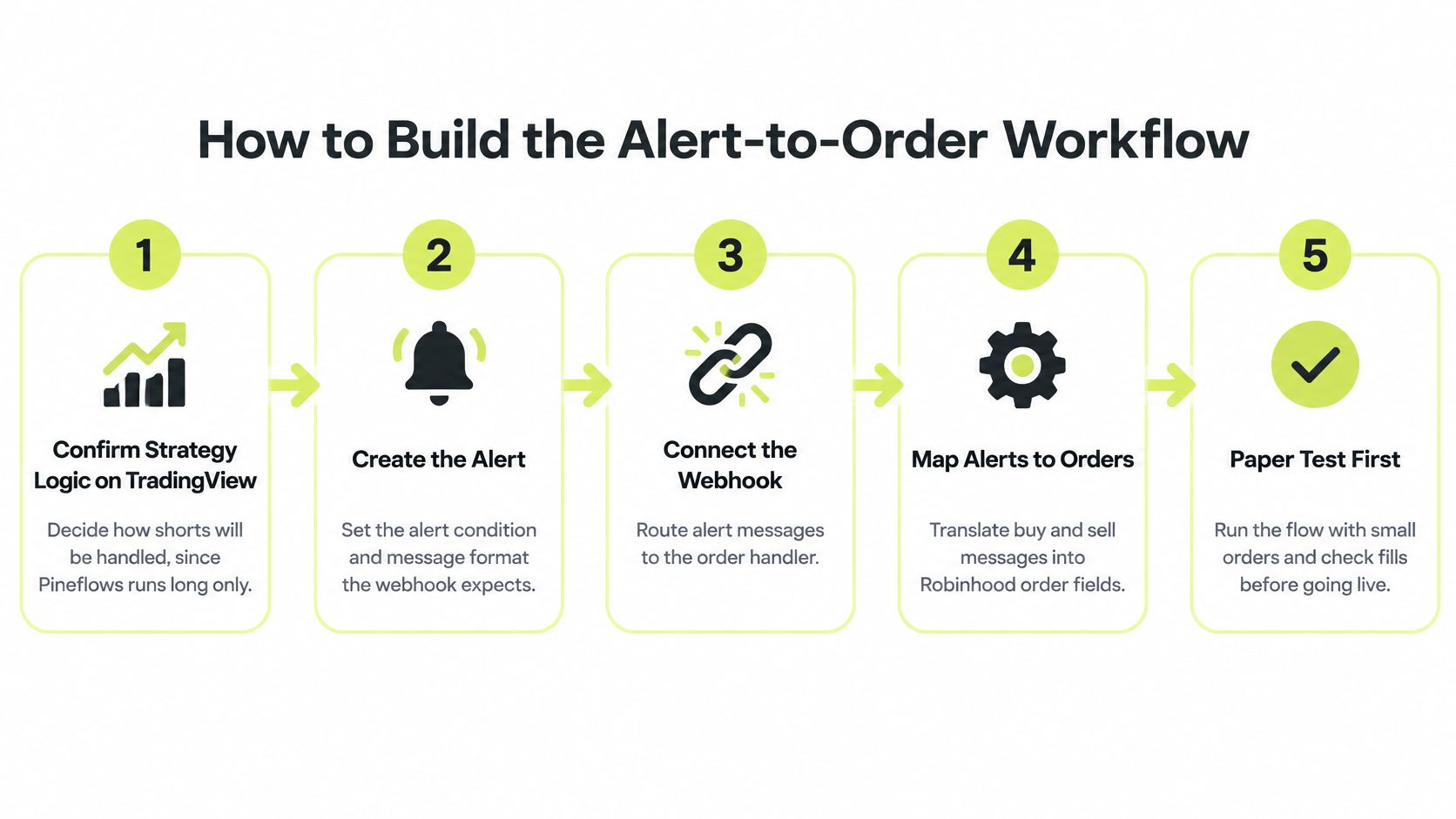
Use this workflow overview to keep the dependencies visible.
### Preconnection checklist
1. **Buying power and connection.** Keep enough buying power for your largest permitted order and confirm a valid Robinhood connection; otherwise, a correctly routed instruction may still be rejected.
2. **Account security.** Enable two-factor authentication on Robinhood and TradingView so the execution workflow doesn't depend on inadequately protected accounts.
3. **Webhook-capable TradingView plan.** Confirm your plan can send webhooks; a chart alert alone isn't enough to deliver an event to the order handler.
4. **Your Claude account.** Have the account available if you're using Claude to read Pine Script and configure the automation, rather than trying to translate unfamiliar strategy logic manually.
5. **Eligibility and account ownership.** Our users must be at least 18, able to enter a binding contract, and hold the TradingView, Robinhood, and Claude accounts they connect.
6. **Chrome access.** Complete an extension-based Robinhood connection in the supported browser; switching browsers won't fix an unsupported connection route.
7. **A checked strategy.** Backtest the script and inspect its alert condition on a chart so you're not debugging trading logic and transport simultaneously.
8. **Written trading rules.** Define entries, exits, size, allowed symbols, and what “flat” means; an ambiguous sell instruction can otherwise produce an unnoticed position mismatch.
9. **Risk capital.** Allocate only money you can afford to lose, rather than treating successful setup as evidence that the strategy is safe.
### Separate preparation from execution
Write down whether an exit closes the entire position or only the strategy's intended quantity. Also decide what should happen when the account already holds shares before automation starts.
The video provides a setup reference to use alongside those written decisions.
A test begun without these prerequisites can fail for reasons unrelated to the strategy. Fix the account, permissions, and configuration first so later results are interpretable.
## How to Build the Alert-to-Order Workflow
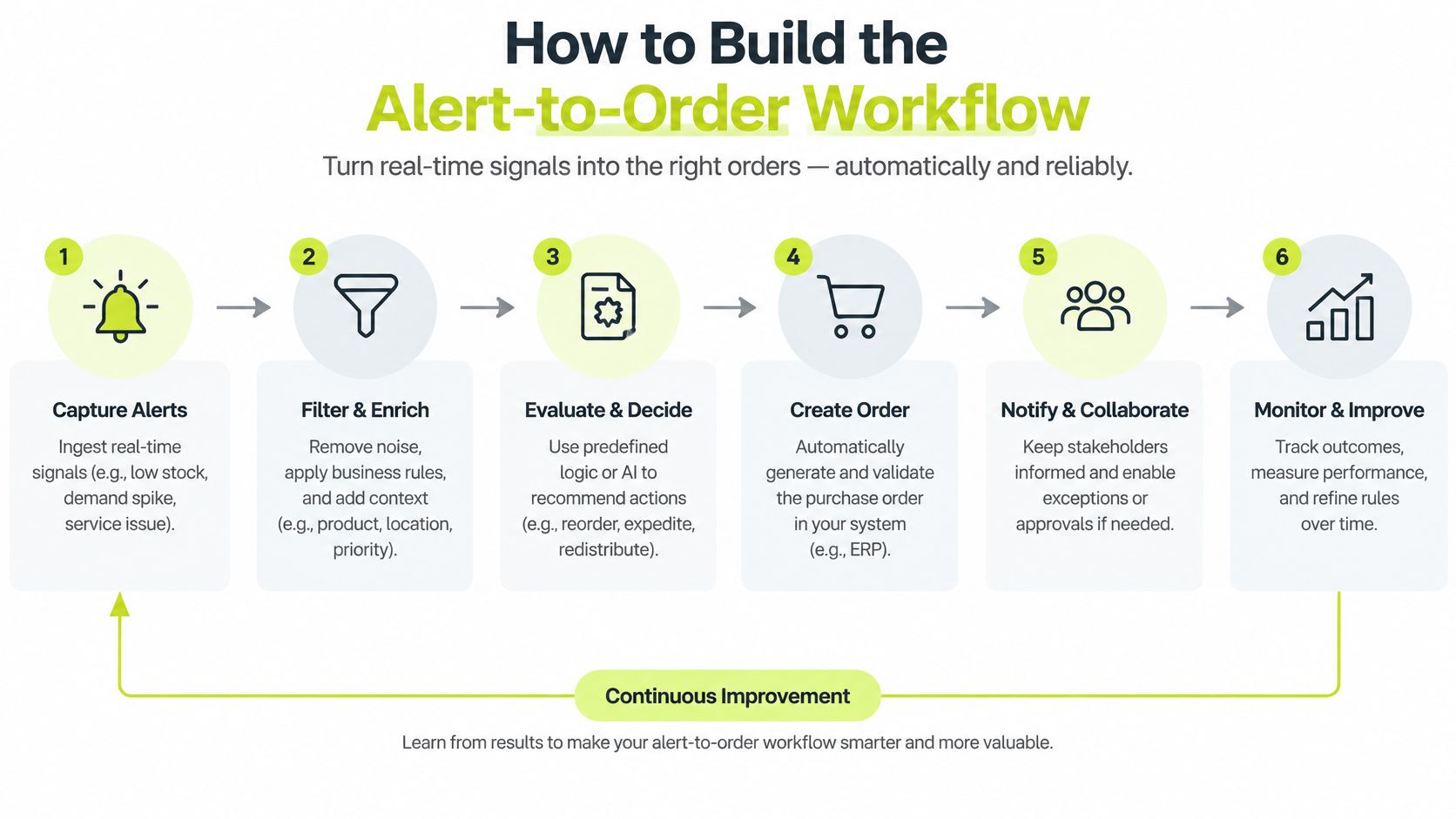
Broker authorization and product scope set the boundaries for automation. The chart signal, webhook event, Pineflows rules, and Robinhood order must all represent the same intended action. An order being sent is only one checkpoint; later, compare its fill with the signal price to assess execution.
The diagram shows the handoffs from TradingView alert to Robinhood order handling.
### Configure the strategy and alert
1. **Define short-signal behavior.** Pineflows executes long only. A short signal flattens the position instead of opening a short, so a strategy that relies on short exposure will behave differently.
2. **Set the instrument and order expectations.** Pineflows places market orders for U.S. equities and ETFs. Market orders do not preserve a backtest's assumed limit-entry price.
3. **Keep the expected alert format.** Strategies use TradingView's default alert message. For scripts using `alert()`, Claude builds a small rules adapter so Pineflows can interpret the instructions.
4. **Choose the alert timing deliberately.** Use once-per-bar-close behavior when it fits the strategy and the alert configuration supports it. This reduces signals from an unfinished bar that disappear before closing.
Bar-close alerts do not prevent every repainting problem. Check how the script uses its inputs and defines conditions. If the strategy is designed for intrabar decisions, waiting for the bar to close changes its behavior.
### Connect and verify delivery
5. **Set the webhook destination on the intended alert.** Save the alert, reopen it, and confirm the destination persisted. A correct webhook pasted into the wrong alert still sends the wrong event.
6. **Connect Claude and Robinhood.** Claude reads the Pine Script and builds the automation, including instrument, sizing, entries, and exits. Complete the Robinhood connection through Pineflows' Chrome extension and confirm the connection status.
7. **Keep test mode on and send an alert.** Check the signal log for the event, timestamp, and interpretable instructions before considering live order placement. Test mode records alerts without sending orders to Robinhood.
Review the proposed rules as instructions that can affect account exposure. Confirm the symbol, how quantity is interpreted, the entry condition, and whether an exit closes the intended position.
> A correct webhook destination with an incorrect sizing rule is still an incorrect trading system.
### Inspect the boundary between systems
Compare the chart condition with the event recorded in the signal log. Verify that the event matches the intended bar and action, not just that it contains a recognizable ticker. A delayed, repeated, or missing alert can change what reaches the broker.
Two setup errors deserve particular attention: assigning the webhook to a different alert than the one being tested, and leaving an intrabar trigger active while judging results as though signals came only at bar close. Correct the original alert and its mapping before adding anything else. That keeps the instruction path clear when you later compare a Robinhood fill with the signal price.
## Testing the Pipeline in Test Mode First
**Test mode logs incoming alerts and sends no orders to the broker.** Use it to inspect routing, interpretation, duplicate handling, and pause behavior without creating market exposure.
Keep the live execution check separate. It can't be completed inside test mode, and a simulated event can't establish what Robinhood will fill.
**Pipeline test cases before going live**
| Test | What you send | Pass when | Failure points to |
|---|---|---|---|
| Single entry alert | A buy alert | Event logged with timestamp; nothing sent in test mode | Wrong webhook destination or delivery failure |
| Duplicate alert | The same event delivered again | Repeated event marked duplicate | Event identity or template problem |
| Paused state | A buy alert while paused | Log shows paused; no new entry | Pause behavior needs review |
| Short signal with no position | A sell or short instruction while flat | No short position is requested | Incorrect action mapping |
| Late alert | An intentionally delayed event | Timestamp gap is visible | Inadequate stale-signal visibility or filtering |
| Minimum-size live check | A deliberately small real order | Status and actual fill price recorded | Rejection, connection failure, or unresolved order status |
### Read the result, not just the activity indicator
For duplicate testing, resend the **same logical event identifier**. Different identifiers may represent different instructions, even when their human-readable messages look alike.
For the late-event check, visibility is only the beginning. Decide whether the strategy should reject stale instructions, and implement a time filter where needed; don't assume the presence of a timestamp means an automatic cutoff exists.
Our signal log explains why an alert didn't place an order using reason codes such as **paused**, **duplicate**, **test mode**, **plan needed**, or **Robinhood not connected**. Those are distinct outcomes with different remedies, not interchangeable delivery failures.
### Separate the technical gate from the trading decision
Our live-mode gate requires a verified real alert, a connected Robinhood account, and an active trial or plan. That gate doesn't establish that the strategy is suitable for live capital.
Complete the non-live checks before enabling a tightly controlled live execution check. Only after that real order has a reconciled result should you consider broader live operation.
> **Testing boundary:** A clean pipeline proves that instructions travel and are handled as expected. It doesn't prove that trading those instructions will make money.
Use [backtested trading strategies](https://pineflows.com/blog/backtested-trading-strategies) as candidates for validation, not forecasts. Investigate any mismatch between the expected event and the recorded result before moving forward.
## Measuring Fills Against Your Signal Price
The alert's signal price and the eventual fill price answer different questions. A signal price is the reference price recorded for that alert: when the strategy fires at bar close, use the close of the bar that triggered it. Comparing this with the average fill shows how far execution moved from the strategy's reference.
Robinhood's [execution-policy material](https://cdn.robinhood.com/assets/robinhood/legal/historical/summary_of_order_execution_policy_eu_20251212143048.pdf) distinguishes **slippage**, **gapping**, and **partial execution**. The document is jurisdiction-specific, but these concepts help assess an order's outcome rather than treating submission as success.
### Record enough to reconstruct the trade
Keep these fields together under the event and broker order identifiers:
- **Timing:** Alert time, broker acknowledgment time, and fill time.
- **Instruction:** Symbol, side, intended quantity, and signal price, defined as the triggering bar's close.
- **Execution:** Order status, average fill price, filled quantity, and any rejected or remaining quantity.
- **Comparison:** Signed deviation from signal price and the resulting account position.
For buys, calculate **(average fill price − signal price) ÷ signal price**. For sells, calculate **(signal price − average fill price) ÷ signal price**. With this convention, a positive result means the price moved against the trade. Keep the result as a ratio or display it as a percentage consistently.
**Illustrative fill gaps from alert to fill**
These qualitative examples are not observed trades or measured performance.
| Trade | Signal price | Average fill | Price gap | Reading |
|---|---|---|---|---|
| Buy a liquid ETF at the open | Triggering bar's close | Slightly above reference | Small adverse gap | Inspect timing around the opening move |
| Sell an ETF midday | Triggering bar's close | Below reference | Adverse after sign reversal | Selling lower is unfavorable |
| Buy a breakout | Triggering bar's close | Materially above reference | Larger adverse gap | The entry may undermine the strategy's assumption |
| Exit with a partial fill | Triggering bar's close | Average for completed quantity | Comparison applies to completed quantity | Reconcile residual exposure separately |
### Evaluate price and quantity together
A favorable average price does not resolve an unintended residual position. A fully filled order can also be economically poor if its price moved far from the strategy's reference. Review the fill price alongside completed quantity and the remaining position.
Use [trade execution software](https://pineflows.com/blog/trade-execution-software) to reconstruct orders and compare fills with alert references, not just confirm that an order was sent. Automation can speed up order submission, but it cannot control spreads, volatility, gaps, or available liquidity.
## Risk Limits and Habits That Keep Automation Safe
Repeated or oversized instructions deserve special attention because they can turn a configuration error into unwanted exposure. Before optimizing strategy parameters, constrain what the automation is allowed to do when an alert is wrong, repeated, or delayed.
Set limits according to your account, instrument, and tolerance for loss. The controls below are starting practices, not universal numerical recommendations.
**Starting risk controls for a first live month**
| Control | Starting value | What it prevents |
|---|---|---|
| Position size cap | A deliberately small maximum allocation per symbol | Oversized exposure from repeated entries |
| Daily loss stop | A written account-loss threshold that requires pausing | Continued entries after unacceptable losses |
| Scope limit | A single strategy on a single symbol initially | Overlapping positions that are difficult to reconcile |
| Event pause | Pause ahead of scheduled earnings or other relevant events | Exposure to known-event gap risk |
### Keep limits connected to account reality
Check the position cap against holdings already in Robinhood, not just the latest submitted quantity. Review the daily loss rule against the account's actual exposure, including positions opened outside the automation.
For the scope limit, resist adding symbols while you're still explaining unexpected events. For scheduled-event pauses, use a calendar and confirm that the pause is active rather than relying on memory.
Routing economics remain relevant after those controls are in place. In its [Robinhood execution-quality settlement](https://www.sec.gov/newsroom/press-releases/2020-321), the SEC concluded that inferior execution cost customers approximately **$34 million** during the relevant historical period; Robinhood agreed to a **$65 million** civil penalty in December 2020.
That history isn't a measurement of today's fills. It demonstrates why commission-free submission and good execution shouldn't be treated as equivalent: the automation controls the instruction, while the broker and receiving market makers determine subsequent execution.
### Handle uncertainty without creating another order
A Robinhood token can expire after a password change or app revocation. Our live automations remain paused until you reconnect, so inspect connection status after account-security changes.
Alerts may arrive late, twice, or not at all, and brokers may reject orders. Keep the signal log available during initial live sessions and reconcile exceptions promptly.
If an order shows **unknown**, Robinhood couldn't be reached to confirm what happened after submission. We record that status and never re-place the order; we also can't cancel or reverse an order already sent.
> Check the Robinhood app before taking corrective action on an unknown order. A blind retry can create the exposure you're trying to resolve.
Review recurring slippage and duplicate events regularly. Treat repeated exceptions as a reason to pause and investigate, not as routine noise.
## Deciding When to Go Live or Stop
Proceed only when the non-live checks pass, the controlled live order has a recorded fill, and you can explain its price, quantity, gap, and status from the log. If you need to guess what happened, hold back.
### Use explicit stop conditions
- **Execution erases the premise:** Pause if measured fill gaps remove the apparent strategy edge.
- **Uncertainty persists:** Stop when unknown statuses recur or account activity can't be reconciled.
- **Loss controls activate repeatedly:** Review the strategy and execution before resuming.
- **Connection recovery fails:** Leave live operation paused until the broker connection is restored and verified.
Review the log weekly for partial fills, adverse gaps, and reason codes. Change a single variable at a time, repeat the pipeline checks after script edits, and retain the position cap and loss stop throughout.
Our guided setup is intended for a single sitting: Google sign-in, Claude connection, a TradingView alert, then review before live use. Setup speed isn't a reason to skip verification, and software execution doesn't make a strategy profitable.
You can stop by pausing or deleting automations, disconnecting Robinhood, cancelling the subscription, and emailing to delete the account. Trading involves risk of loss; nothing here is investment advice.
---
Pineflows turns TradingView strategy alerts into Robinhood market orders through a test-first workflow with pause controls and an auditable signal log. Visit [Pineflows](https://pineflows.com) to review the setup, confirm that its scope fits your account permissions, and verify an alert in test mode before enabling live execution.