# Pine Script Strategy: From Backtest to Live Execution
> Master your Pine Script strategy workflow. Learn how alerts trigger, avoid backtesting traps, and automate Robinhood execution with verified safeguards.
Source: https://pineflows.com/blog/pine-script-strategy
Published: 2026-10-05
Updated: 2026-10-05
Tags: pine script strategy, tradingview alerts, robinhood automation, algorithmic trading, backtesting
You've built a Pine Script strategy that looks excellent in the Strategy Tester. The entries line up, the equity curve rises, and the drawdowns appear tolerable. Then the first live alert arrives, the broker receives something different from what you expected, or the position opens later than the backtest implied. The problem usually isn't the entry formula. It's the operational layer between a simulated fill and a real order.
TradingView gives you a powerful environment for testing and alerting, but a live workflow needs more than a profitable chart. You need to understand **what event triggers the alert, when that event fires, how the payload is routed, and what happens when delivery is delayed or duplicated**. That's where a Pine Script strategy becomes a trading system rather than an attractive historical model.
## Table of Contents
- [The Evolution of Pine Script Strategies](#the-evolution-of-pine-script-strategies)
- [From chart logic to trade simulation](#from-chart-logic-to-trade-simulation)
- [Strategy vs Indicator Architecture](#strategy-vs-indicator-architecture)
- [The practical difference](#the-practical-difference)
- [When to use each type](#when-to-use-each-type)
- [How Strategy Alerts Actually Trigger](#how-strategy-alerts-actually-trigger)
- [Choose the event that represents the action](#choose-the-event-that-represents-the-action)
- [Frequency is part of the design](#frequency-is-part-of-the-design)
- [Backtesting Realities and Repainting Risks](#backtesting-realities-and-repainting-risks)
- [Audit the assumptions before optimizing](#audit-the-assumptions-before-optimizing)
- [Platform safeguards don't replace strategy controls](#platform-safeguards-dont-replace-strategy-controls)
- [Mapping Alerts to Broker Execution](#mapping-alerts-to-broker-execution)
- [Build the payload around execution fields](#build-the-payload-around-execution-fields)
- [Test the full path in stages](#test-the-full-path-in-stages)
- [Automating Robinhood Orders with Pineflows](#automating-robinhood-orders-with-pineflows)
- [Keep the first live test narrow](#keep-the-first-live-test-narrow)
- [Safeguards and Risk Management for Live Trading](#safeguards-and-risk-management-for-live-trading)
- [Build controls around failure modes](#build-controls-around-failure-modes)
## The Evolution of Pine Script Strategies
Many traders begin with a moving average plotted over price. They want a cleaner chart, a visual crossover, or a way to mark support and resistance. The first useful script often feels like a small convenience. It removes repetitive chart work, but it still leaves the trader responsible for interpreting the signal and placing the order.
That workflow breaks down during fast markets. A crossover appears, the trader hesitates, the price moves, and the eventual order no longer resembles the one assumed in the backtest. Deterministic code can remove that hesitation, but only when the script has moved beyond visual plotting and into the strategy framework.
TradingView introduced the first version of Pine Script to all users as an open beta on **December 13**, a milestone that started the language's development into the modern scripting environment traders use today. TradingView now describes strategies as specialized scripts that simulate trades across historical and realtime bars for backtesting and forward testing. Its [Pine Script release notes](https://www.tradingview.com/pine-script-docs/v5/release-notes/) also document the evolution of strategy alerts from analysis toward live signal generation.
### From chart logic to trade simulation
An indicator answers a visual question. Is price above a moving average? Did momentum cross a threshold? Is volatility expanding? A strategy answers a trading question. If the condition is true, what order should the broker emulator create, how should the position be tracked, and what result should the system record?
That distinction matters because a strategy maintains trade state. It can represent entries, exits, open positions, and simulated performance across historical data. The result is not a promise of live profitability, but it gives you a repeatable environment for testing the assumptions behind your rules.
The strategy framework also created a bridge to realtime automation. TradingView formalized dedicated alert choices such as **“Order fills only”** and **“Order fills and alert() function calls,”** allowing traders to select whether downstream automation should react to simulated execution events, custom script messages, or both.
> **Practical rule:** Treat the backtest as a model of your rules, not as proof that a broker will reproduce every fill.
A mature Pine Script strategy therefore has two jobs. It must express a trading idea consistently, and it must expose execution events in a form that another system can process safely. Most failures happen when traders solve the first job and assume the second one is automatic.
## Strategy vs Indicator Architecture
The difference between an indicator and a strategy is architectural, not cosmetic. Both can calculate conditions and draw information on a chart, but they don't have the same relationship with simulated orders or performance data.
An `indicator()` script is primarily a calculation and visualization layer. It can plot a moving average, mark a crossover, or call `alertcondition()` for an alert based on a condition. That makes it useful for discretionary confirmation and for simple signal monitoring.
A `strategy()` script adds a broker-emulation layer. It can issue commands such as `strategy.entry()`, `strategy.exit()`, and `strategy.close()`, maintain position state, and calculate results from simulated trades. TradingView's documentation describes strategies as scripts that simulate trades across historical and realtime bars, which is why the strategy declaration is the correct foundation for a backtestable Pine Script strategy.
### The practical difference
| Capability | Indicator | Strategy |
|---|---|---|
| Plot calculations | Yes | Yes |
| Visual signal markers | Yes | Yes |
| Simulated entries and exits | No native trade simulation | Yes |
| Position and equity state | No strategy position state | Yes |
| Strategy Tester results | No | Yes |
| Native order-fill alerts | No | Yes |
| `alertcondition()` use | Available for indicator alerts | Not the native trigger for strategy order fills |
An indicator can tell you that a condition exists. It cannot, by itself, tell the broker emulator that a position was opened and then produce an order-fill event from that simulated order. A strategy can do both the analysis and the order simulation, which makes it the appropriate choice when the objective is to compare historical execution with a live routing workflow.
### When to use each type
Use an indicator when you need a transparent visual tool or when a human will make the final trading decision. Use a strategy when you need the platform to track orders, calculate simulated trade outcomes, and expose order-fill events for automation.
A common mistake is to convert an indicator into a strategy and assume the historical result is now execution-ready. The conversion may add `strategy.entry()`, but it doesn't automatically resolve position sizing, order timing, partial fills, duplicate handling, or webhook interpretation. The declaration gives you the right architecture. It doesn't remove the need for execution design.
## How Strategy Alerts Actually Trigger
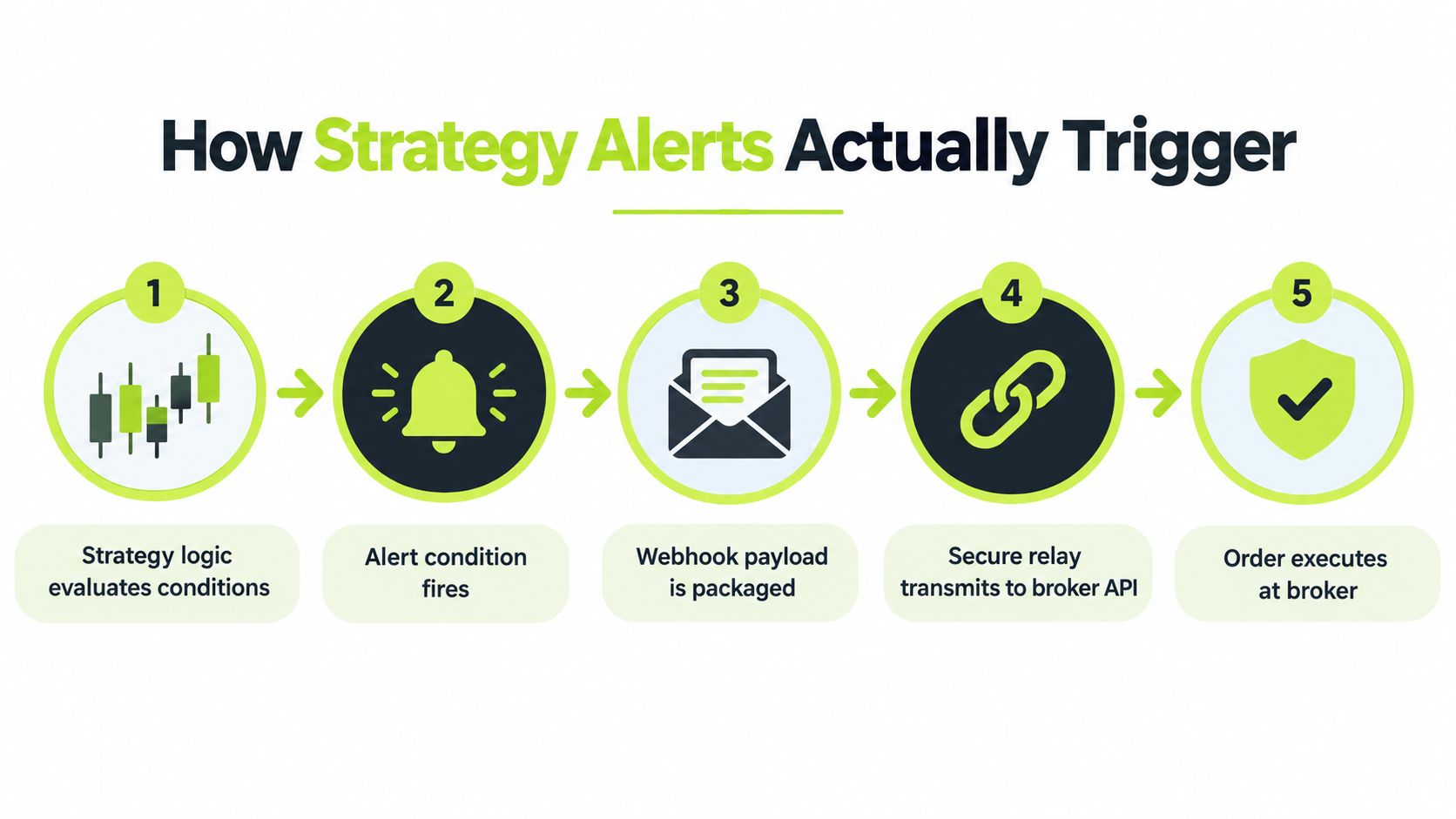
A strategy alert can originate from two different event streams, and confusing them creates avoidable live-trading errors. The first stream is a custom `alert()` call written into the script. The second is an order-fill event generated by TradingView's broker emulator after a strategy order is processed.
The Create Alert dialog lets you choose **“Order fills only”** or **“Order fills and alert() function calls.”** The first choice is appropriate when the downstream system should act only on simulated executions. The second is useful when the script also sends custom informational or decision messages that need to reach the same workflow.
TradingView's [strategy alert documentation](https://www.tradingview.com/support/solutions/43000597494/) makes the timing distinction important. Strategy `alert()` calls execute by default only on the close of realtime bars, while order-fill alerts execute immediately. That means an order-fill event is generally the lower-latency native path when the objective is to route a simulated fill into downstream automation.
### Choose the event that represents the action
An `alert()` call can describe intent. For example, it might say that a long condition has become true, include a calculated stop level, or report that a filter has passed. An order-fill alert describes a different event. It says that the strategy's order command has produced a fill event in the broker emulator.
Those events won't always occur at the same point in the workflow. A condition can become true before the strategy's order is filled, and a custom alert can execute under different bar-processing assumptions from the fill event. If your broker connector treats every incoming message as a new order, sending both event types without an explicit event model can create duplicate actions.
> **Execution rule:** Decide whether your webhook represents a signal, an order instruction, or a fill notification. Don't use the same parser for all three without a deliberate event field.
TradingView's [alerts FAQ](https://www.tradingview.com/pine-script-docs/faq/alerts/) states that strategy alerts are generated from broker-emulator order fills, not from `alertcondition()`. It also notes that users can configure alerts for order fills only or for order fills together with `alert()` calls. The distinction is especially important for traders migrating an indicator workflow, because an indicator-style condition alert isn't equivalent to a strategy fill event.
### Frequency is part of the design
Alert frequency settings should match the event you intend to consume. A bar-close signal may be suitable for a slower strategy that intentionally waits for confirmation. It may be unsuitable for a workflow that depends on the earliest available fill notification.
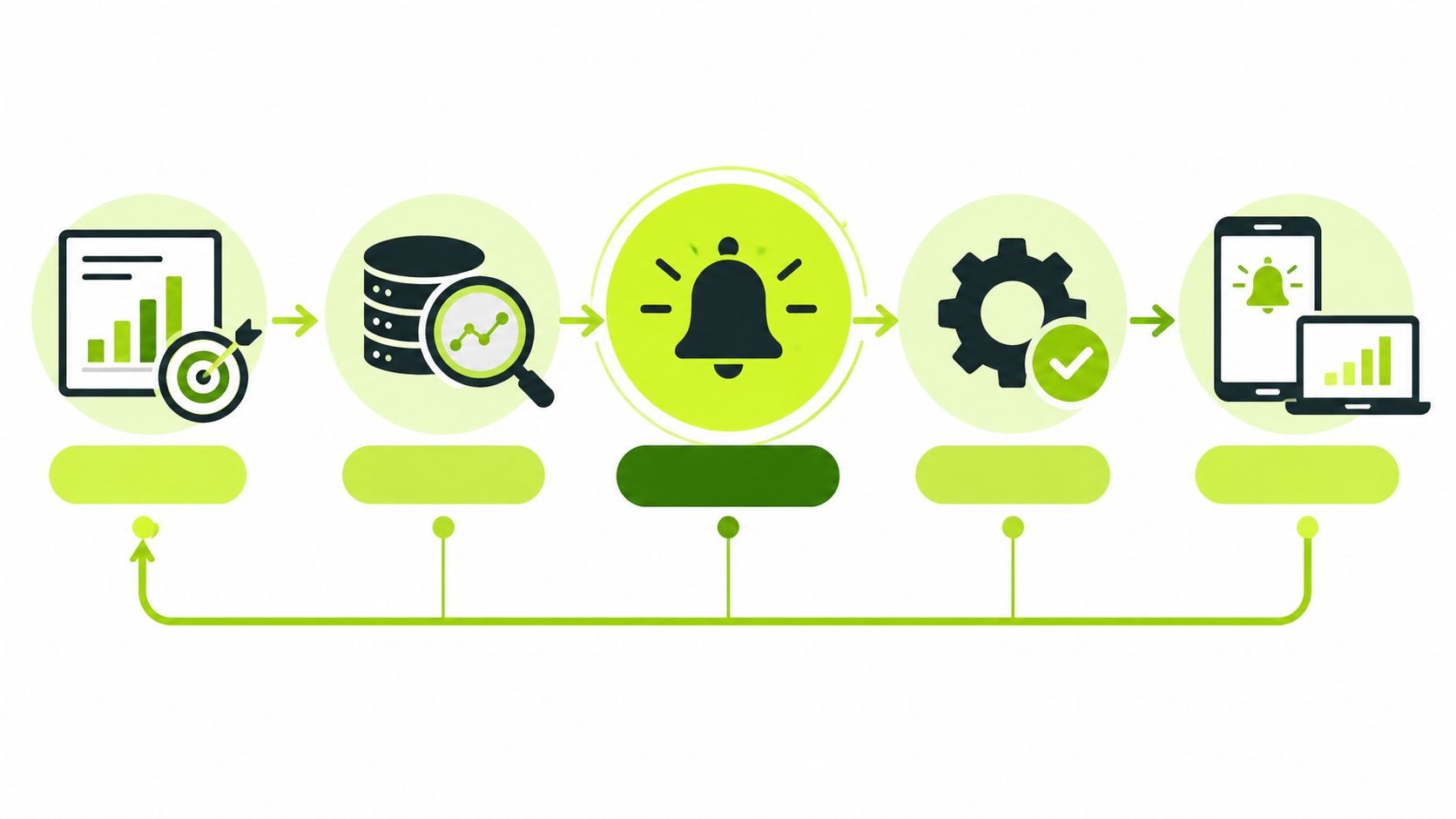
Before connecting a live account, create a test event for each path you plan to use. Confirm the message body, event type, timestamp, instrument identifier, direction, and quantity. Then verify that the receiving system logs the event without placing an order. A green alert icon on a chart doesn't prove that the full chain is correctly mapped.
## Backtesting Realities and Repainting Risks
A profitable backtest can still represent the wrong live process. Historical bars contain information that becomes available progressively in realtime, while the Strategy Tester presents the completed historical result after the fact. If your logic depends on intrabar movement, confirmation timing, or data that changes before a bar closes, the historical signal may not match the live signal.
Repainting is one expression of that mismatch. A condition can appear stable after a bar has completed but behave differently while the bar is forming. Realtime execution may also produce a different sequence of calculations from historical processing. TradingView's [alerts FAQ for Pine Script](https://www.tradingview.com/pine-script-docs/v5/faq/alerts/) warns that repainting and intrabar behavior can change results, so a live alert may not match historical performance.
### Audit the assumptions before optimizing
Start by asking what information was available at the exact moment the strategy would have acted. A calculation that uses a completed higher-timeframe value may be reasonable. A calculation that relies on a value that was not finalized at the decision point can introduce look-ahead bias.
Review these areas separately:
- **Bar confirmation:** Identify whether entries depend on a bar closing or on conditions that can change intrabar.
- **Higher-timeframe data:** Check whether the requested value was confirmed when the lower-timeframe strategy evaluated it.
- **Order timing:** Compare the strategy's assumed fill point with the event that your live connector will receive.
- **State changes:** Verify that entries, exits, and reversals cannot fire repeatedly from one evolving condition.
Paper trading is useful because it exposes discrepancies that historical optimization hides. A practical [TradingView paper-trading workflow](https://pineflows.com/blog/how-to-paper-trade-in-tradingview) should record the signal, the alert payload, the expected action, and the resulting simulated position. The point isn't to prove that every historical trade repeats. It's to observe whether the realtime state transitions match the logic you intended.
### Platform safeguards don't replace strategy controls
TradingView applies a burst safeguard to script alerts. Its documentation states that alerts are automatically stopped if a script alert triggers more than **15 times in 3 minutes**. The [strategy alert support page](https://www.tradingview.com/support/solutions/43000481368-strategy-alerts/) also explains that a server-side copy of the strategy runs independently from the chart instance in your browser.
That isolation creates an operational risk. Editing the chart script later doesn't update the existing alerting copy. You can be looking at one version while the server continues running another. TradingView also states that notifications continue each time an order is executed until the alert expires, so alert lifecycle management belongs in your deployment checklist.
> A clean equity curve is evidence about historical assumptions. It isn't evidence that the deployed alert copy, payload parser, and broker order logic are aligned.
## Mapping Alerts to Broker Execution
A webhook becomes useful only when the receiving system can interpret it without guessing. The safest approach is to define a small, explicit payload contract before you connect a broker. The strategy should provide the trading instruction, while the relay should validate the fields, apply account permissions, and record what happened.
TradingView supports custom `alert_message` values on strategy order commands. The resulting content can be inserted with `{{strategy.order.alert_message}}`, which lets you attach structured information to an order without rewriting the entire strategy around a broker-specific integration. Keep the payload stable even if the entry logic changes.
### Build the payload around execution fields
At minimum, the receiving system needs to distinguish the event, instrument, side, quantity, and intended action. Don't rely on a human-readable sentence such as “buy signal” when a parser can receive explicit fields.
| Placeholder | Function | Example Output |
|---|---|---|
| `{{strategy.order.action}}` | Identifies the order direction | `buy` |
| `{{strategy.order.contracts}}` | Supplies the order quantity | `configured quantity` |
| `{{strategy.order.price}}` | Reports the strategy order price | `strategy price` |
| `{{strategy.order.id}}` | Identifies the strategy order | `LongEntry` |
| `{{strategy.order.alert_message}}` | Inserts your custom payload | `structured order message` |
The example outputs above describe field roles, not guaranteed broker values. Your parser should validate the actual received message and reject unsupported instruments, missing quantities, or an unknown order identifier.
A useful custom message can contain a stable event identifier, an action such as `enter` or `exit`, the ticker, side, quantity, and a strategy label. The receiving service should then check whether that event has already been processed before submitting anything. Compared to a basic webhook relay, [automated trade execution from TradingView](https://pineflows.com/blog/automated-trade-execution) needs more discipline.
### Test the full path in stages
First, trigger the strategy in a non-live environment and inspect the raw message. Next, confirm that the parser maps the symbol and side correctly. Then compare the intended quantity with the quantity recorded by the receiving system. Only after those checks should you allow a broker submission.
TradingView's native alert is not a complete broker integration. It can generate the event and send the payload, but the downstream service still has to authenticate with the broker, validate the message, handle failures, and report the resulting status. That boundary is where many “working” Pine Script automations stop being reliable.
## Automating Robinhood Orders with Pineflows
Robinhood execution adds a practical integration problem to the Pine Script problem. The strategy produces a TradingView event, but a separate service must translate that event into a Robinhood order while preserving the instrument, action, quantity, timestamps, and resulting status. A focused connector can reduce that adapter work, but it shouldn't remove the verification steps.
The relevant workflow uses a **test-first default**. Incoming TradingView alerts are logged without transmitting orders until live trading is explicitly enabled. That gives you a place to inspect the payload, confirm the selected instrument and sizing, and verify that an exit is treated as an exit rather than as a new entry.
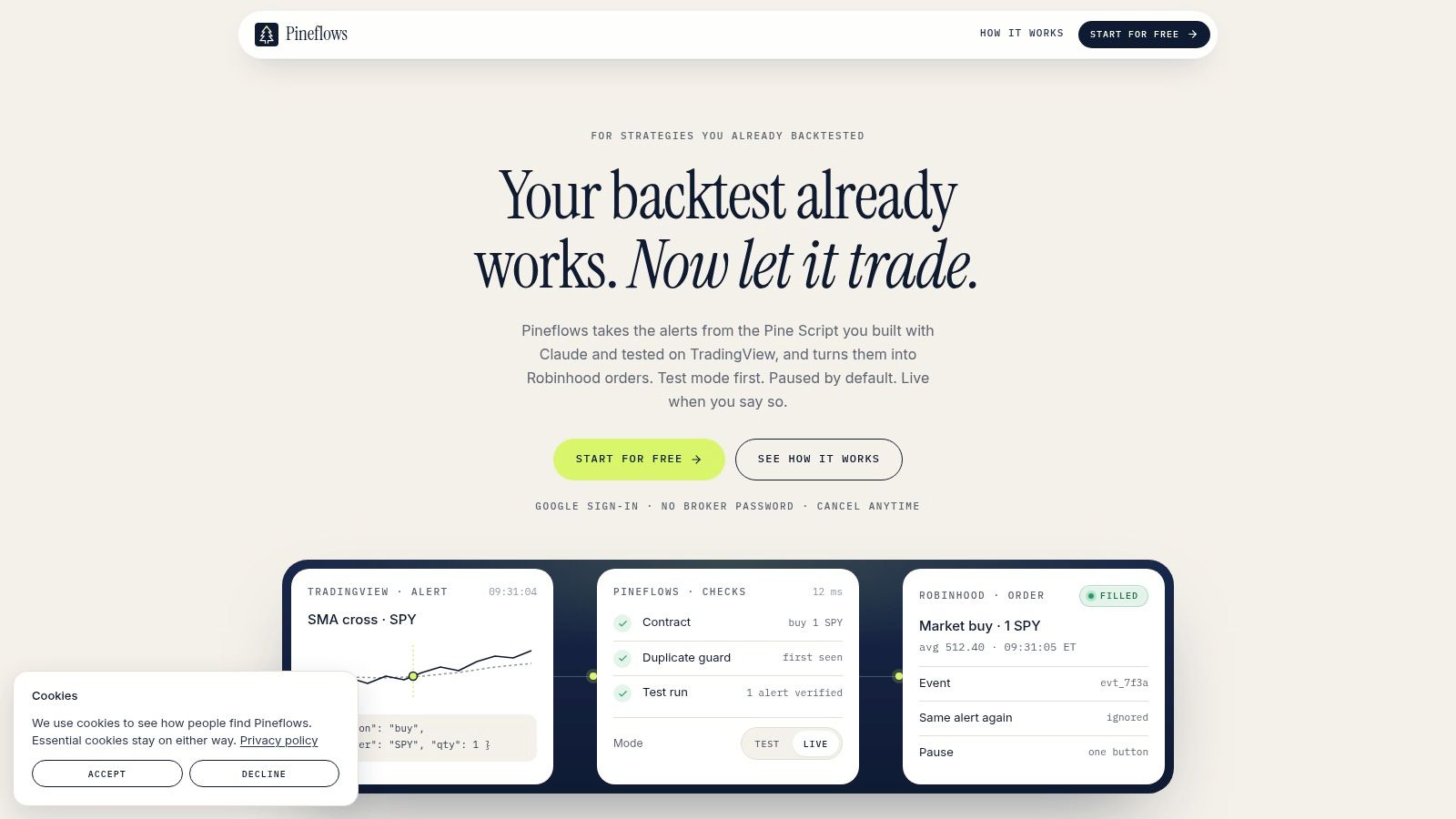
The setup also uses one-click Google sign-in rather than asking users to provide or store Robinhood passwords inside the automation workflow. A Claude connector can interpret a Pine Script strategy and propose parameters for entries, exits, instruments, and position sizing. Those proposals still need human review, especially when the script contains reversals, conditional exits, or assumptions that aren't obvious from its plotted signals.
### Keep the first live test narrow
The right verification sequence is operational rather than theoretical:
1. Connect the TradingView strategy alert to the generated webhook.
2. Confirm that the incoming event appears in the test log.
3. Inspect the human-readable payload and the mapped order fields.
4. Trigger an exit path as well as an entry path.
5. Enable live execution only after the event-to-order mapping is understood.
The service is designed specifically to convert TradingView strategy alerts into Robinhood market orders, with status checks and fill details recorded for review. It offers a single plan, **Pineflows Pilot at $29 per month**, with a **7-day trial that begins after onboarding**, and requires a paid TradingView plan with two-factor authentication enabled.
The video below provides another view of the workflow. Watch for the separation between receiving a strategy alert and authorizing live order transmission.
Documentation for the Robinhood connection is available in the [Robinhood connection guide](https://docs.pineflows.com/connect-robinhood). The important point isn't convenience by itself. It's that a test log, a visible payload, and an explicit live switch create a controlled transition between a backtested rule and a broker order.
## Safeguards and Risk Management for Live Trading
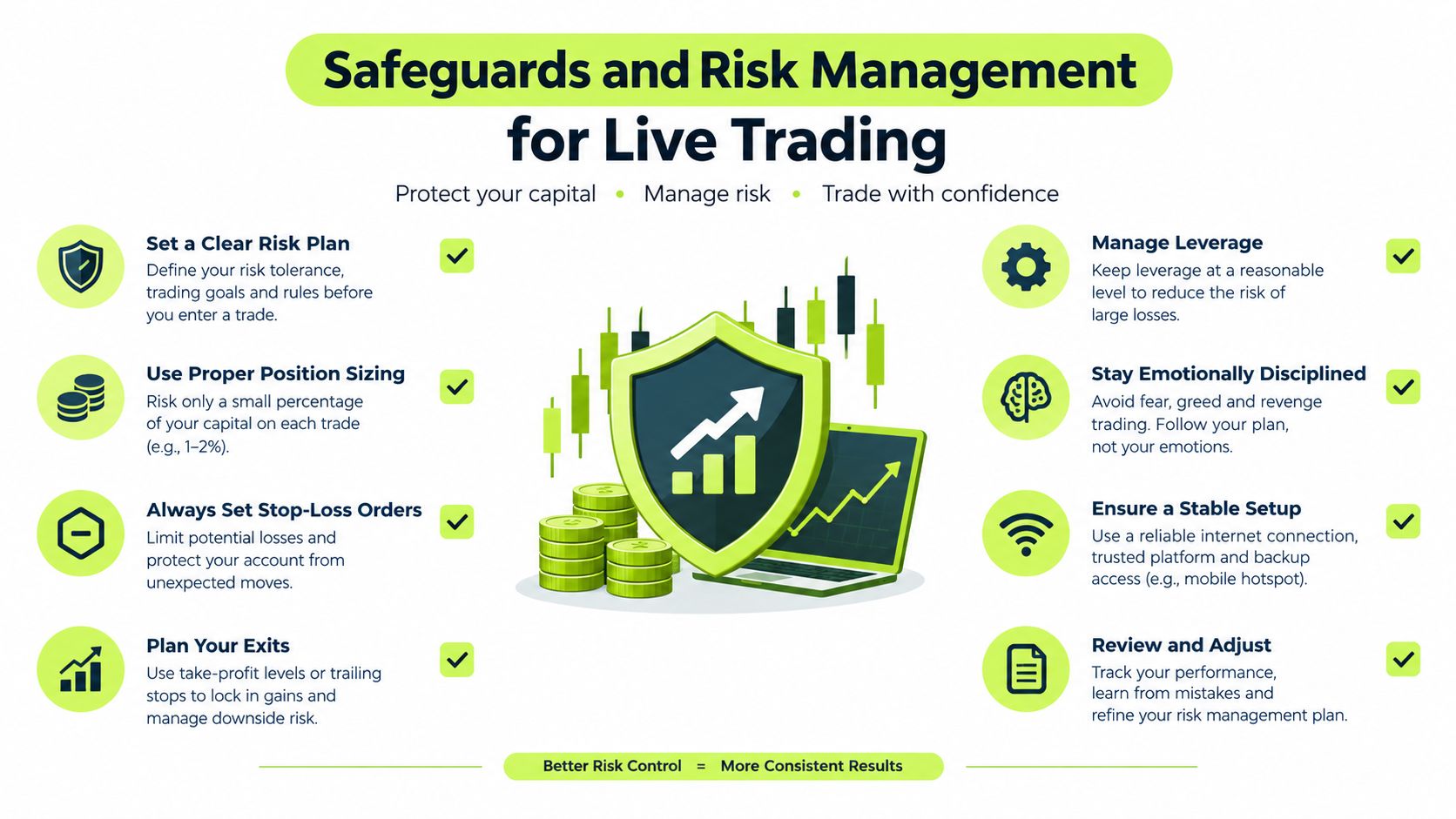
Execution governance deserves the same design attention as entry logic. A strategy can identify a valid setup and still create damage if the same alert is delivered twice, if an operator can't stop new entries, or if the system gives no useful explanation for a rejected order.
Start with **idempotency**. Every actionable alert should carry an event identifier, and the receiver should record whether that identifier has already been processed. If the same event arrives again, the system should return the existing status rather than submit another order. This protects against duplicate delivery and makes retries safer.
### Build controls around failure modes
A global pause control should stop new entries without disabling valid exits. That distinction matters during a volatile session. You may want to prevent the strategy from adding exposure while still allowing an existing protective exit to reach the broker.
Use a short operational checklist:
- **Duplicate protection:** Reject an event ID that has already produced an order.
- **Pause behavior:** Block new entries, cancel relevant pending entry orders, and preserve valid exits.
- **Payload inspection:** Show the parsed ticker, side, quantity, and action before transmission.
- **Delivery receipts:** Record whether the webhook arrived, passed validation, and reached the broker.
- **Status tracking:** Store rejected, accepted, and filled states separately.
- **Version control:** Record which strategy and alert configuration generated the event.
TradingView's strategy alert model gives you useful native events, but it doesn't decide how your downstream system should behave during a timeout or a repeated request. The relay needs explicit rules for those conditions. A retry without deduplication is not resilience. It's a potential second position.
> **Deployment standard:** Don't enable live trading until you can explain every status from the first alert to the broker response.
Auditability also changes how you debug. A chart marker tells you that the script evaluated a condition. An event log can tell you which alert copy ran, what payload it produced, whether the message was duplicated, which broker order was created, and what fill status followed. That evidence lets you separate a strategy defect from a routing defect.
A Pine Script strategy is automation-ready only when its execution behavior has been tested deliberately. Validate the event semantics, confirm repainting assumptions, inspect the server-side alert version, run test-mode events, and keep a pause mechanism available after launch.
---
Pineflows converts TradingView strategy alerts into executable Robinhood orders through a verified, test-first workflow with payload inspection, status visibility, duplicate protection, and pause controls. If you want to move from a promising Pine Script strategy to a controlled execution process, visit [Pineflows](https://pineflows.com) and review the setup before enabling live trading.