# Automated Stock Alerts: From TradingView to Live Trades
> Set up automated stock alerts that route TradingView signals to live Robinhood orders. Includes webhook setup, test mode, pause controls, and audit checks.
Source: https://pineflows.com/blog/automated-stock-alerts
Published: 2026-10-09
Updated: 2026-10-09
Tags: automated stock alerts, TradingView webhook, Pine Script alerts, Robinhood API, alert routing
You refresh the broker app, and the order still isn't there. The chart says your Pine Script condition fired, TradingView showed the alert, and your mind goes straight to the only question that matters in the moment, did the trade leave the system, or did it just look like it did?
That gap is why **automated stock alerts** are not really a notification feature. They're an execution problem, one that has to survive transport, retries, broker checks, partial fills, and reconciliation without losing the trail. The modern version of that problem has old roots, from NASDAQ's 1971 automated quotation service to the NYSE's later electronic routing systems, all built around the same requirement, a signal has to move reliably from one place to another and come back with a machine-readable result [NYU archive on electronic market infrastructure](https://archive.nyu.edu/jspui/bitstream/2451/14228/1/IS-95-21.pdf).
## Table of Contents
- [The Moment Your Strategy Fires and You Are Not Sure What Happened](#the-moment-your-strategy-fires-and-you-are-not-sure-what-happened)
- [Why this problem never went away](#why-this-problem-never-went-away)
- [Designing an Alert Pipeline You Can Actually Audit](#designing-an-alert-pipeline-you-can-actually-audit)
- [The state machine matters more than the trigger](#the-state-machine-matters-more-than-the-trigger)
- [Why HTTP success is not execution](#why-http-success-is-not-execution)
- [Wiring TradingView Alerts to Your Webhook Endpoint](#wiring-tradingview-alerts-to-your-webhook-endpoint)
- [Test Mode Versus Live Mode and Why the Default Matters](#test-mode-versus-live-mode-and-why-the-default-matters)
- [What the two modes do differently](#what-the-two-modes-do-differently)
- [Why the default should stay locked down](#why-the-default-should-stay-locked-down)
- [Reading Delivery Receipts and Broker Responses](#reading-delivery-receipts-and-broker-responses)
- [What to look for in the trail](#what-to-look-for-in-the-trail)
- [How to separate delivery from execution](#how-to-separate-delivery-from-execution)
- [Pause Controls and Duplicate Protections That Keep Automation Safe](#pause-controls-and-duplicate-protections-that-keep-automation-safe)
- [Why duplicate suppression prevents double orders](#why-duplicate-suppression-prevents-double-orders)
- [Your One-Page Setup and Audit Checklist](#your-one-page-setup-and-audit-checklist)
## The Moment Your Strategy Fires and You Are Not Sure What Happened
A five-minute strategy can light up during a fast tape, and the result still feels murky. The alert fires, the notification lands somewhere, and the broker screen gives you nothing trustworthy at a glance. The order may still be pending, it may have been rejected, or the webhook may have bounced and retried later.
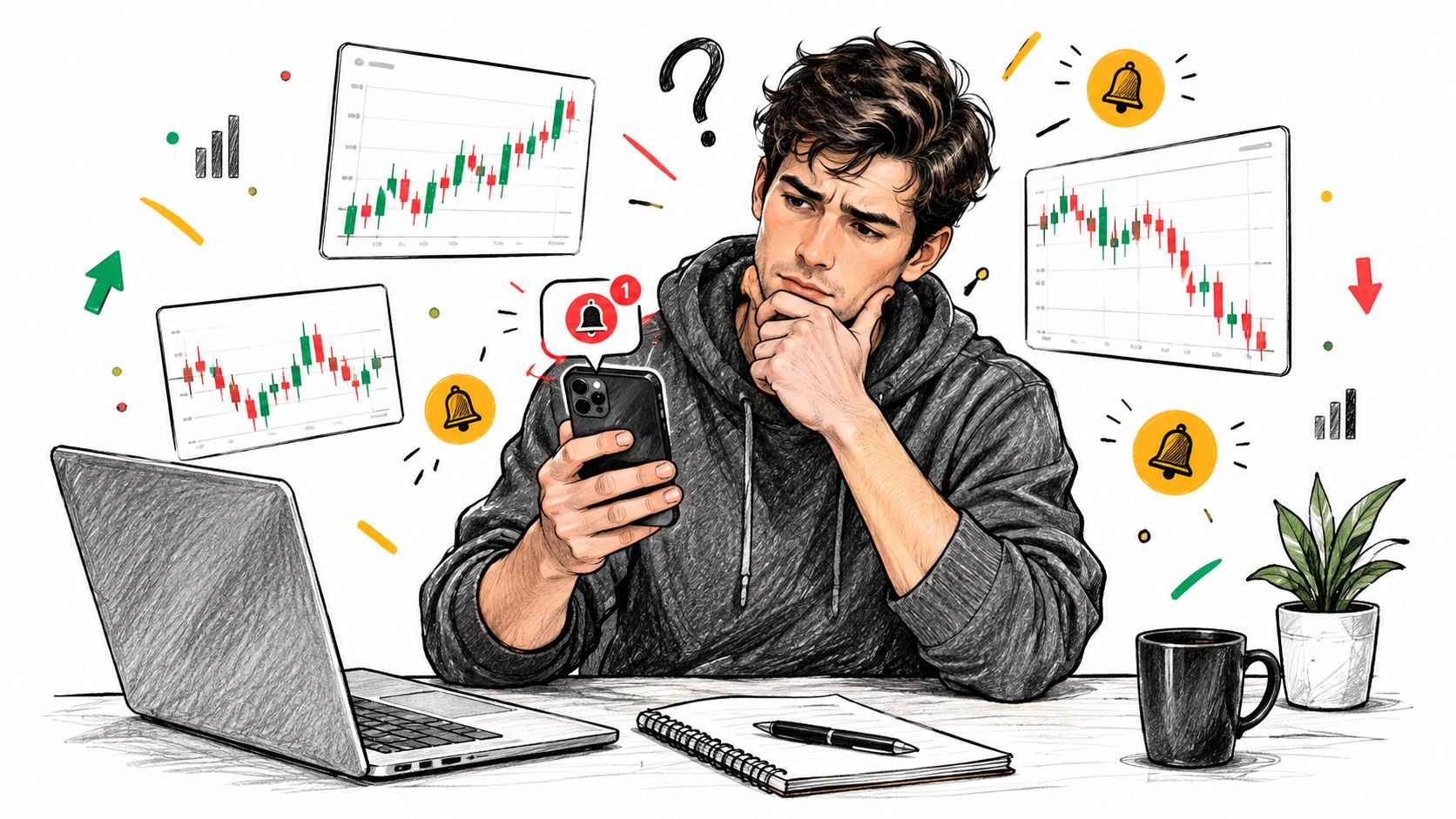
That confusion is a real failure mode. The alert did not just fire or fail, it moved through a chain of states, and each state needs evidence. If you cannot show the event ID, payload, broker response, and final position, you do not have automation. You have a guess.
### Why this problem never went away
The market infrastructure story explains why. From NASDAQ's early automated quotation service to the NYSE's later electronic routing systems, the core requirement stayed the same, a signal has to move reliably from one place to another and return with a machine-readable result [NYU archive on electronic market infrastructure](https://archive.nyu.edu/jspui/bitstream/2451/14228/1/IS-95-21.pdf).
The older manual workflow depended on people relaying quotes and orders by phone. Electronic routing replaced that with continuously distributed prices and machine-handled order paths. The NYSE's DOT and SuperDOT systems followed the same logic, move instructions and confirmations more consistently than human handling could manage. **Routing, timestamps, execution reports, and audit trails are core infrastructure**, not extras.
> **Practical rule:** treat every alert as an event that must be observed from birth to settlement, not as a single notification you can trust on sight.
## Designing an Alert Pipeline You Can Actually Audit
A durable pipeline starts with a structured payload, not a casual message. The alert should carry a unique event ID, symbol, side, intended quantity, signal timestamp, and strategy version so every downstream system can point to the same instruction. TradingView sends alerts as HTTP POST requests to a configured endpoint, and its alert log is the first place to check when delivery does not show up downstream [TradingView webhooks](https://www.tradingview.com/support/solutions/43000529348-about-webhooks/).
### The state machine matters more than the trigger
A serious flow usually looks like this, and each stage deserves a log entry.
| Stage | Artifact Produced | Failure It Prevents |
|---|---|---|
| Trigger detection | Strategy event | Silent signal loss |
| Event ID generation | Unique identifier | Duplicate execution |
| Symbol mapping | Routed instrument | Wrong ticker or venue |
| Side and quantity calculation | Order intent | Incorrect sizing |
| Timestamping | Ordered event time | Out-of-order confusion |
| Payload structuring | Valid request body | Broken downstream parsing |
| Webhook dispatch | Delivery receipt | Transport ambiguity |
| Receipt confirmation | Final status trail | False assumption of execution |
That structure is why persistence comes before order submission, as detailed in the [automated trade execution guide](https://pineflows.com/blog/automated-trade-execution). If the raw payload is not stored first, you lose the cleanest record of what was received. If idempotency is not durable, retries can create duplicate orders after a network blip or a service restart.
### Why HTTP success is not execution
A successful webhook request only tells you the transport worked. It does not tell you the broker accepted the order, partially filled it, canceled it, or filled it completely. The gap matters because the failure can show up one layer later than the place where many traders are looking.
A good implementation makes the transitions explicit, from signal generation to validation to submission to reconciliation. That is the difference between a script that sends alerts and a system that can survive market hours.
> **Audit standard:** every event should be traceable by ID from TradingView, through the receiver, into the broker response, and back to the resulting position.
## Wiring TradingView Alerts to Your Webhook Endpoint
TradingView alert setup is straightforward only if the trust boundary is already clear. A paid TradingView plan with **two-factor authentication enabled** is the baseline I'd want before letting an alert point at a live execution endpoint. From there, create the alert on the strategy that already emits an `alert()` condition, then paste the webhook URL into the alert's notifications tab.
The important part is what not to put in the alert body. **Never place broker credentials in the webhook payload**, because webhook delivery is transport, not identity management. Keep the signed-in TradingView session and webhook authentication separate, since that gives you a minimum viable trust boundary instead of one brittle shared secret.
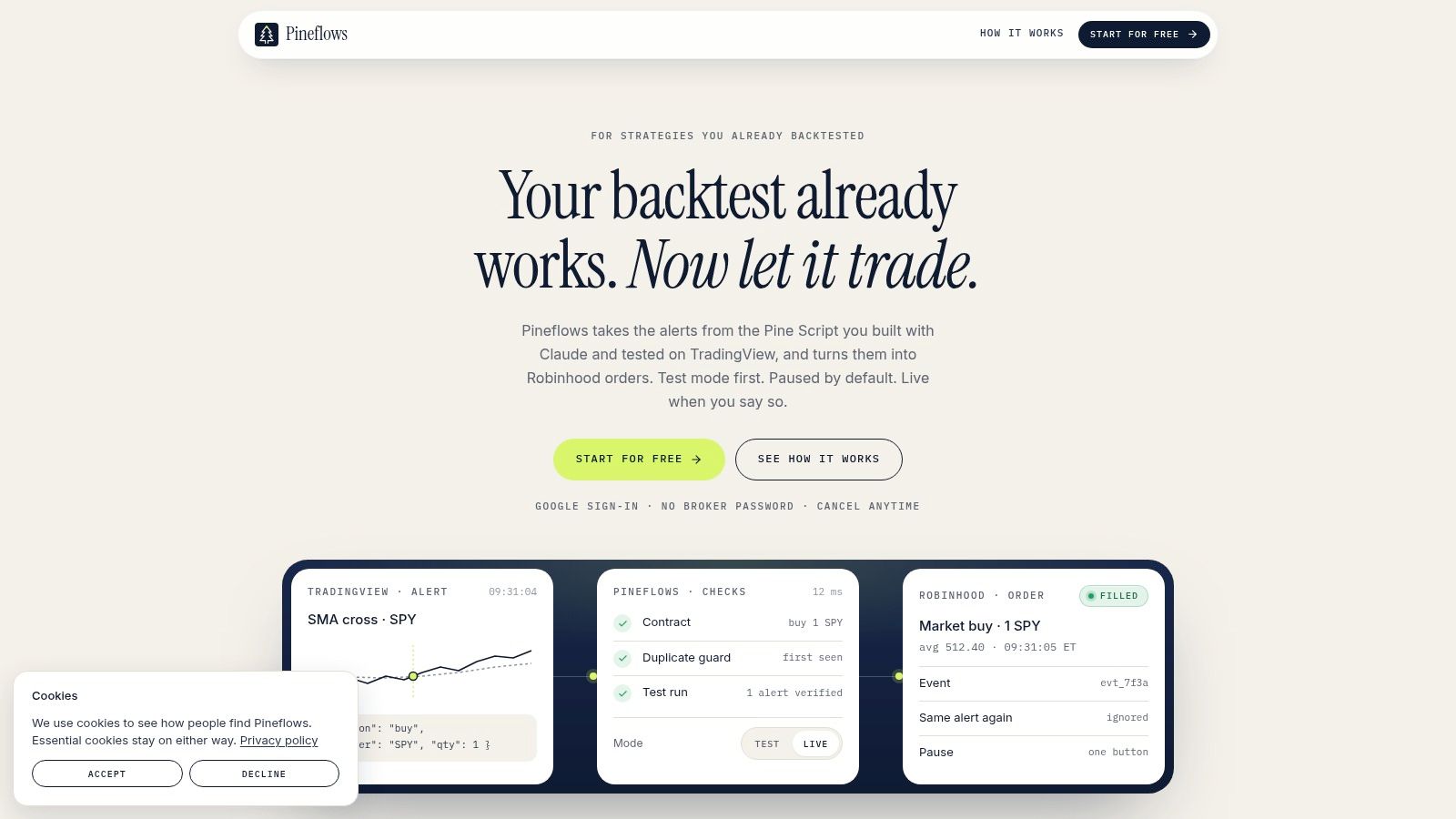
The practical advantage of that setup is that most scripts can route as-is. The strategy logic stays in place, and the alert becomes the handoff point. In one workflow I've seen work cleanly, the connector interprets Pine Script and proposes parameters for entries, exits, instruments, and sizing, so the trader doesn't have to rewrite the strategy just to make it executable. Pine Script alert routing is also where a single internal reference is useful, [the webhook setup guide on Pineflows](https://pineflows.com/blog/tradingview-webhook) sits naturally beside this step.
After the alert is created, TradingView's alert log is the first diagnostic stop if delivery doesn't appear downstream. That log tells you whether the platform tried to deliver the event at all, which is a different question from whether the broker accepted it.
If you're using a Pine Script strategy that already defines entry and exit logic, the alert usually becomes a routing wrapper around that logic rather than a new strategy layer. That keeps the automation boundary narrow, which is exactly what you want when the goal is fewer moving parts, not more.
## Test Mode Versus Live Mode and Why the Default Matters
Test mode should be the default, not a temporary demo you skip through. In a verified-first pipeline, test mode records the incoming alert, assigns or checks the event ID, logs validation results, and blocks broker transmission on purpose. Live mode does the same preprocessing, then submits the order.
### What the two modes do differently
| Behavior | Test Mode | Live Mode |
|---|---|---|
| Incoming alert logging | Yes | Yes |
| Payload inspection | Yes | Yes |
| Duplicate detection | Yes | Yes |
| Broker submission | Blocked | Allowed |
| Fill price capture | No | Yes |
| Rejection or acceptance from broker | No | Yes |
That split is more important than it looks. A clean test run proves your webhook arrived, your event ID was recorded, your validation passed, and your pipeline didn't choke on the payload. It does **not** prove the broker will accept the order, nor does it tell you what the fill will look like in a live market.
### Why the default should stay locked down
The costliest retail automation mistake is going live before the wiring is proven. You can hide a lot of broken logic behind a green alert icon, especially if you're only checking whether the alert fired. A safer default is to stay in test mode until you've replayed at least one alert end to end and inspected every artifact.
That's also where paper-trading style discipline pays off. A pipeline can look perfect and still behave badly under real order submission, so the first verified alert should be small, deliberate, and boring. If you need a reference workflow, the paper-trade approach documented in [this TradingView guide](https://pineflows.com/blog/how-to-paper-trade-in-tradingview) matches the mindset well.
## Reading Delivery Receipts and Broker Responses
A lot of traders only read the first line of the trail. The alert fired, so they assume the trade happened. That's the wrong mental model. There are at least four separate states you need to keep distinct, the alert fired, the webhook was delivered, the broker accepted the order, and the trade was filled.
### What to look for in the trail
Start with the event ID. If the same identifier appears in the alert log, the receiver log, and the order record, you're looking at one event path, not a guess stitched together after the fact. If the receiver marks the payload as a duplicate, that's a healthy sign when retries happen, because it means the system recognized a repeated event instead of submitting it again.
Then inspect the human-readable payload. You want to see the symbol, side, intended quantity, and signal timestamp exactly as they were structured upstream. If any of those fields are missing or malformed, the issue is usually upstream of the broker.
### How to separate delivery from execution
A webhook receipt confirms transport. A broker response confirms acceptance or rejection. A fill confirms the market interaction that changed the account. Those three things can happen close together, but they're not the same event.
> Read the trail in order, not emotionally. A fast alert doesn't matter if the broker rejected the order, and a delayed fill still counts as execution once the order is accepted.
A useful drill helps. Replay an old alert in test mode, then walk the artifacts from top to bottom, alert log, payload inspection, duplicate checks, and final status. The exercise teaches you how much evidence you really have, and it exposes where your assumptions are stronger than your logs.
## Pause Controls and Duplicate Protections That Keep Automation Safe
Speed gets attention, but control keeps accounts intact. A reliable pause button matters more than shaving another second off routing when the market shifts, connectivity drops, or the strategy starts acting badly. The strongest automation setups I've seen make it easy to block new entries while still allowing valid exits for open positions.
### Why duplicate suppression prevents double orders
A per-alert event ID lets one signal trigger at most one order, even when the transport layer retries. That design prevents ugly surprises after a temporary outage, when the same alert can arrive more than once. Durable idempotency separates a cautious retry from an accidental second position.
The human control plane matters too. Someone has to be authorized to stop the system, and everyone involved has to know what remains active after the stop. If you cannot answer those questions quickly, the automation is too loose for live capital.
In practice, the stop procedure should leave a clear record of what was halted, what stays open, and what needs reconciliation before anything resumes. That is more useful than a vague “disable alerts” button because it forces the account back into a known state before the next signal can act.
> A good pause control is not just an emergency panic button. It is a governance mechanism that keeps the next alert from creating a mess on top of the last one.
## Your One-Page Setup and Audit Checklist
A live alert setup should feel boring because every step is known, logged, and reversible.
- **TradingView security:** confirm two-factor authentication is enabled on the account that generates the alert.
- **Webhook reachability:** verify the endpoint accepts the alert request and returns a clean delivery receipt.
- **Test replay:** send one alert in test mode and inspect the full payload, not just the status line.
- **Event tracking:** confirm the event ID is recorded and visible in every relevant log.
- **Live switch:** move to live only after a small-size verification has been checked end to end.
- **Pause procedure:** document who can stop automation and what happens to open entries and exits.
- **Recovery path:** capture the support contact path and the reconciliation steps for a failed or ambiguous event.
If an alert fires and no order appears, trace the alert log, then the payload record, then the idempotency check, then broker status. That order matches the pipeline, and it keeps you from blaming the wrong layer.
Verify current pricing and trial terms on the Pineflows site before you go live, and treat any alert with no matching order as a pipeline failure to diagnose by layer, transport, validation, acceptance, or fill.
If you want a workflow built around logs, delivery receipts, idempotency, and a clear pause path, Pineflows is built for that kind of alert-to-order routing. It turns TradingView alerts into broker orders while keeping test mode, audit trails, and duplicate protection in the center of the design. Visit [Pineflows](https://pineflows.com) if you want to wire that pipeline with fewer moving parts and a clearer trail of what happened.